One system for the office, the jobs, and the field
Accounting, job cost, payroll, equipment, purchasing, and service work share one set of books. Dashboards and 84 standard reports read from the same entries, and each user sees only what their role allows.
Dashboards, reports, an assistant, and permissions
The tools that sit across payables, receivables, jobs, payroll, and the field.
- Executive dashboard
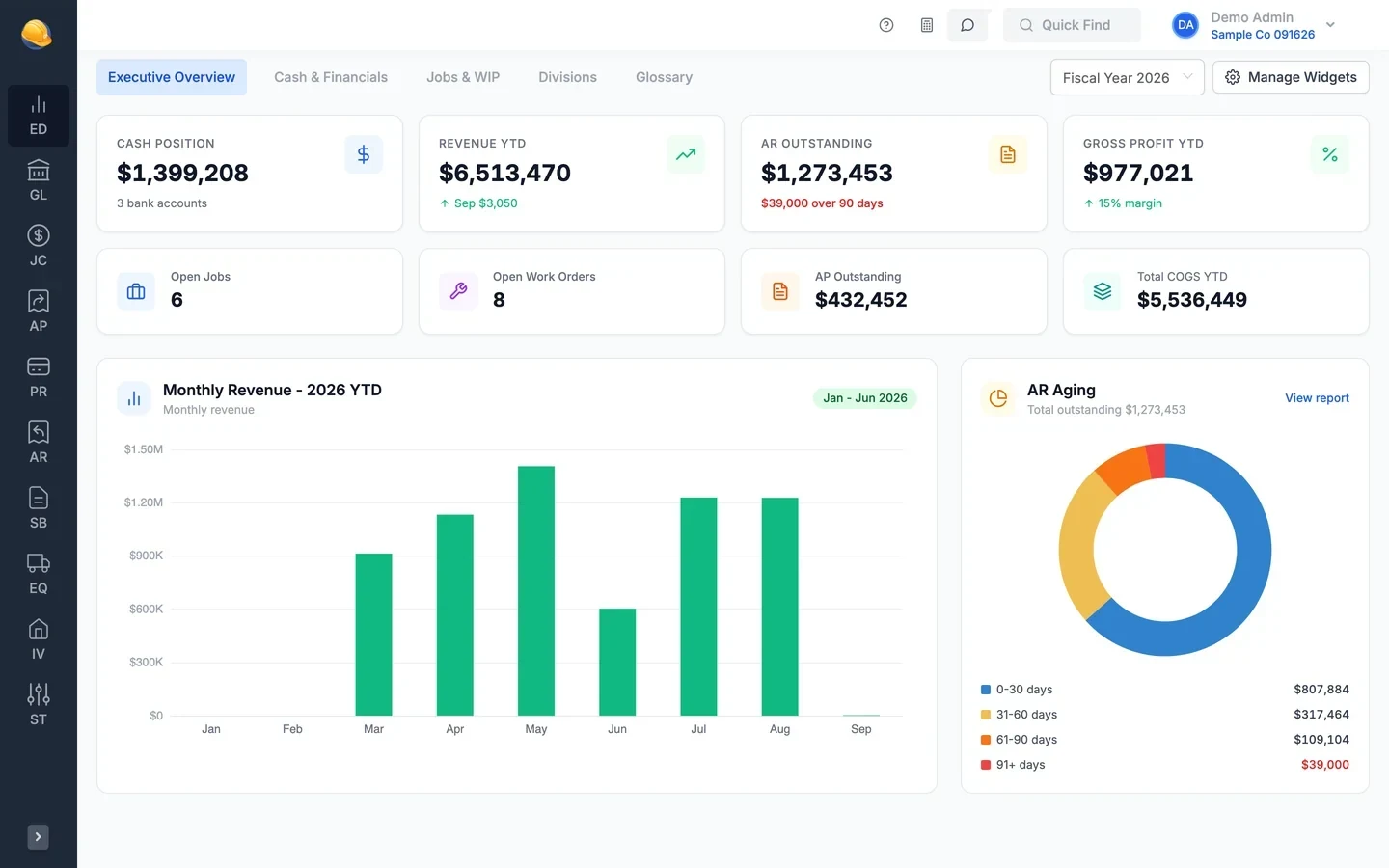
An executive dashboard with cash, revenue, receivables, and WIP
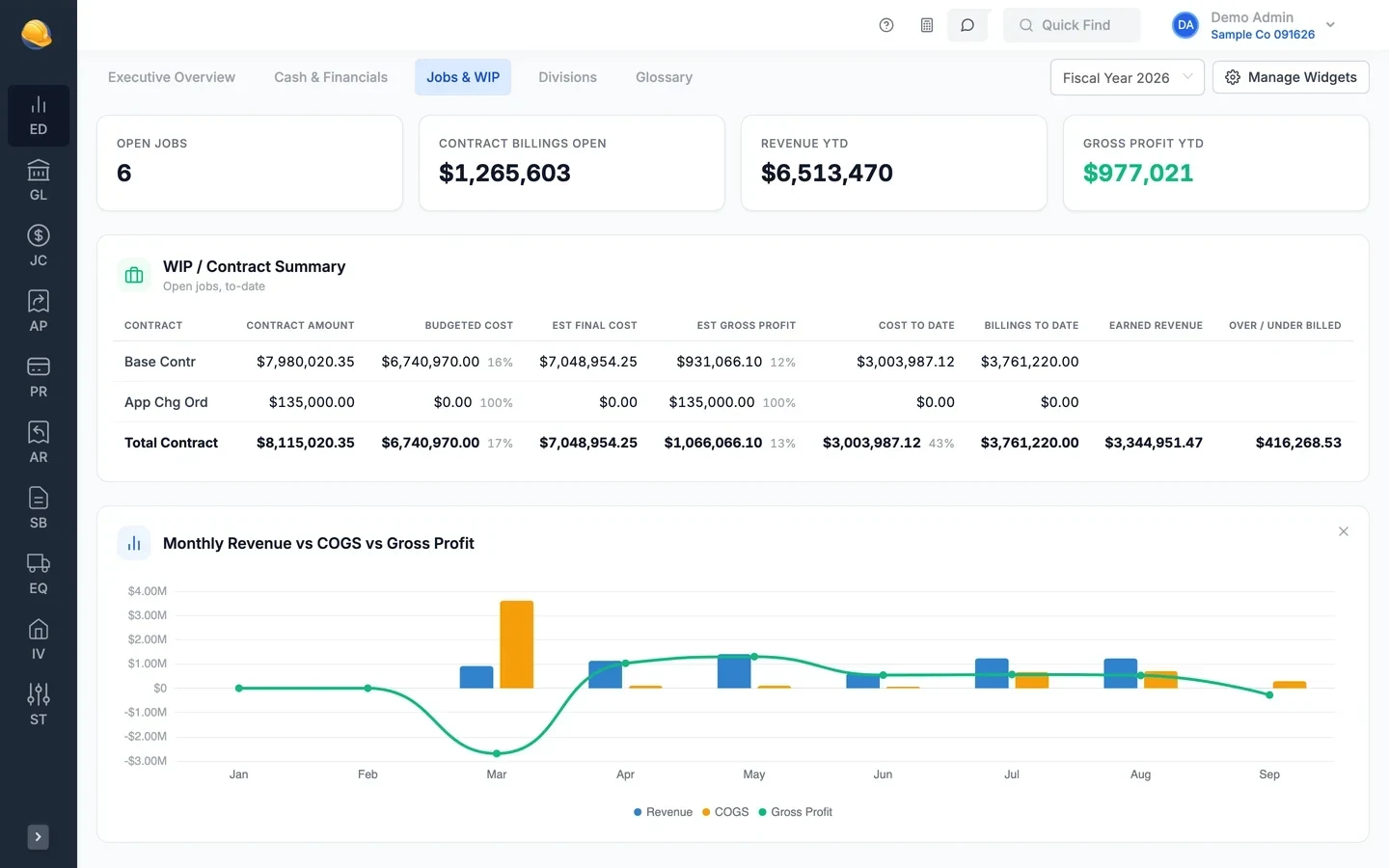
The executive dashboard has tabs for the overview, cash and financials, jobs and WIP, and divisions, with a glossary for every number. Pick the fiscal year and turn widgets on or off; each user keeps their own layout.
- Cash by bank account, profit and loss, and cash flow position
- Monthly revenue, AR aging, and division performance
- WIP contract summary with over and under billing
- Fifteen widgets across five tabs, set per user
- Dashboards
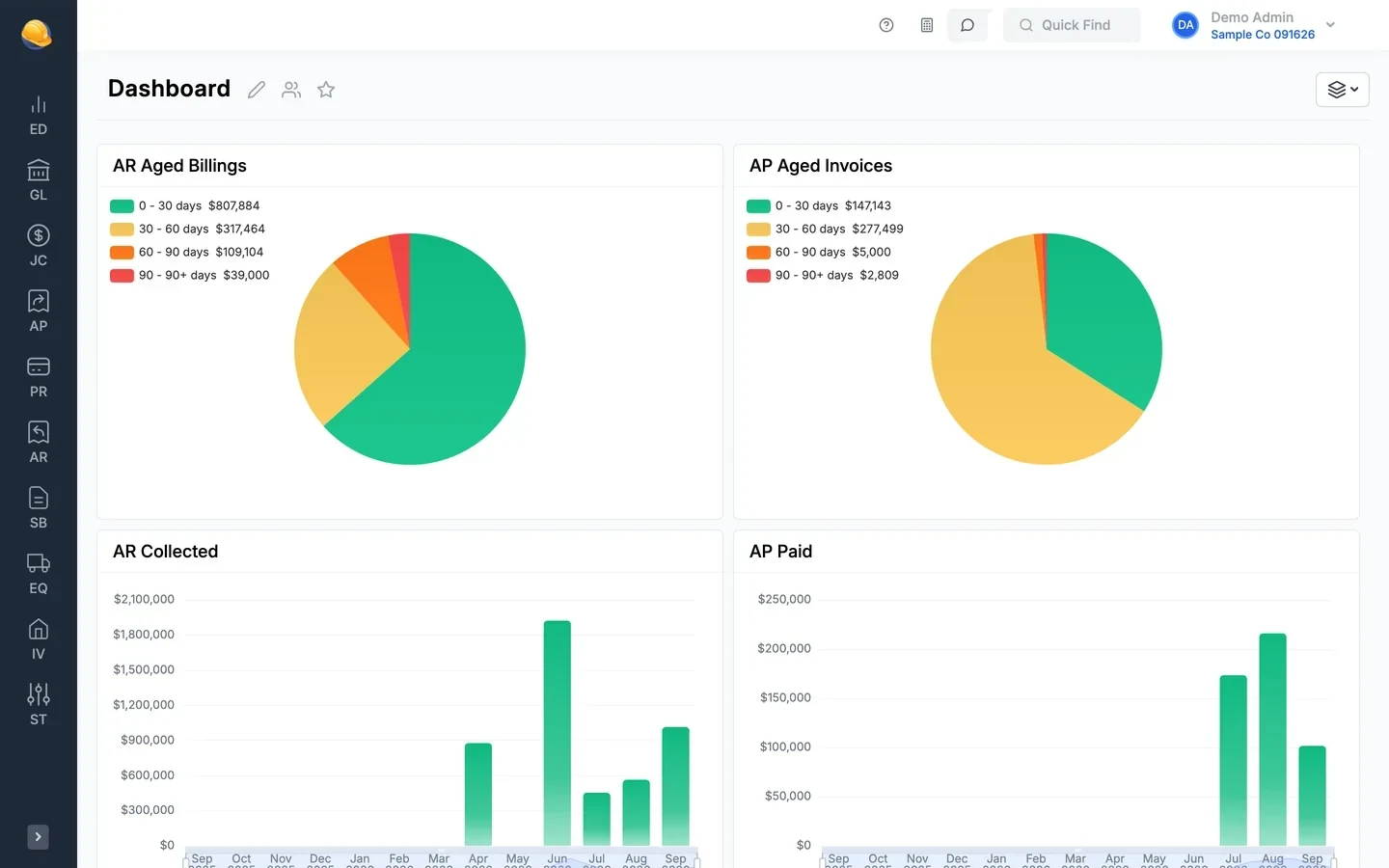
A home dashboard for each team
Build dashboards from widgets for AP paid, AR collected, aged invoices, aged billings, account balances, and quick links. Drag widgets into place, and keep a dashboard private, share it with specific users, or share it with the whole company.
- Several dashboards per user, with one set as home
- Create, clone, and share dashboards
- Aged receivables and payables charts by age bucket
- Quick links to vendors, invoices, customers, and employees
- CP Assistant
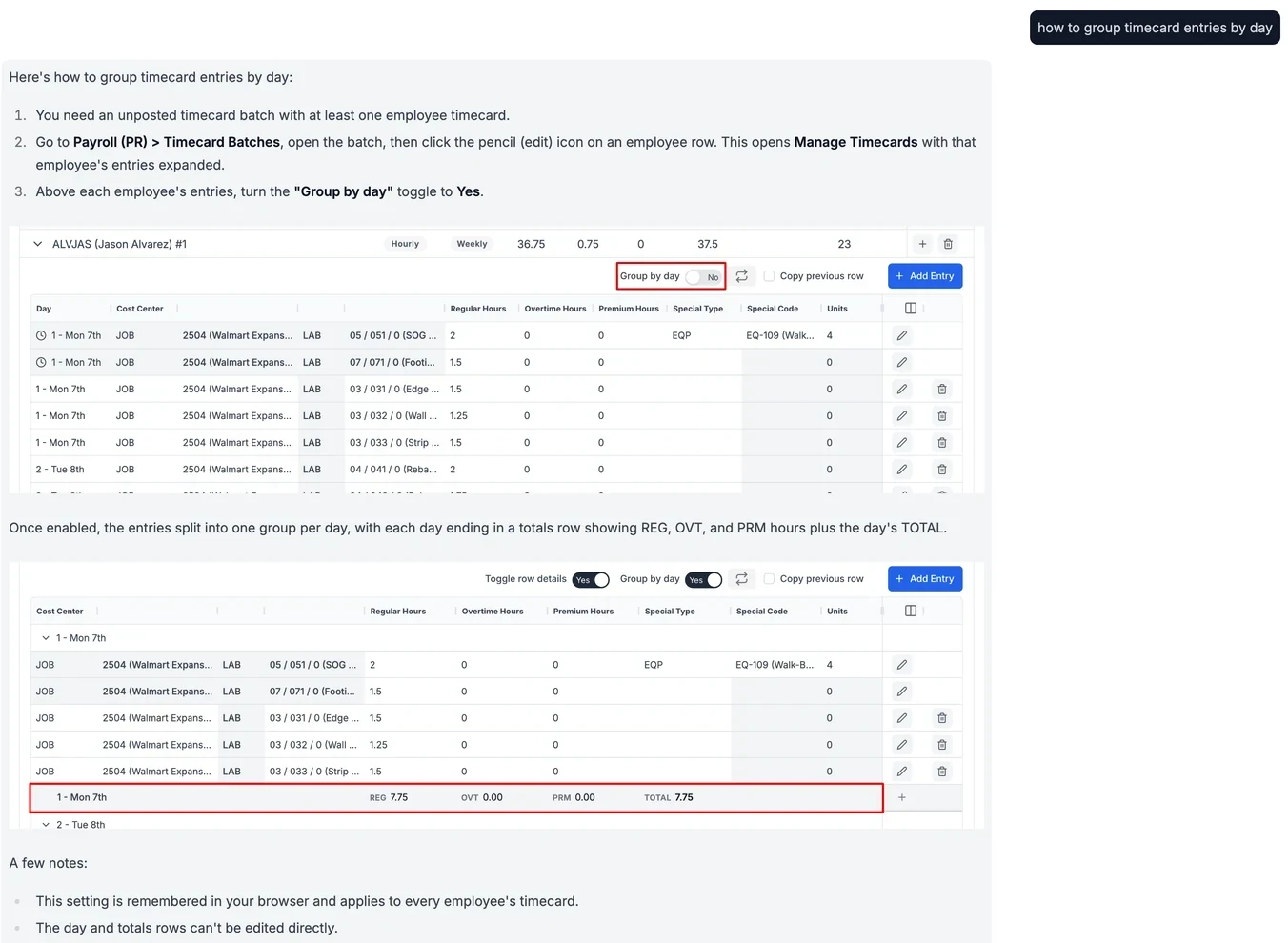
Ask how to do something and get the steps with screenshots
Ask the CP Assistant how to do a task, like grouping timecard entries by day, and it answers with the steps and screenshots from the Construction Partner help articles. It can also explain the screen you are on and look up jobs, vendors, and work orders.
- How-to answers for payroll, billing, and job cost with the steps and screenshots
- Get help with this page, with a summary of the screen
- Look up and count records such as jobs, vendors, and work orders
- Read only: the assistant does not change or post your data
- Users & roles
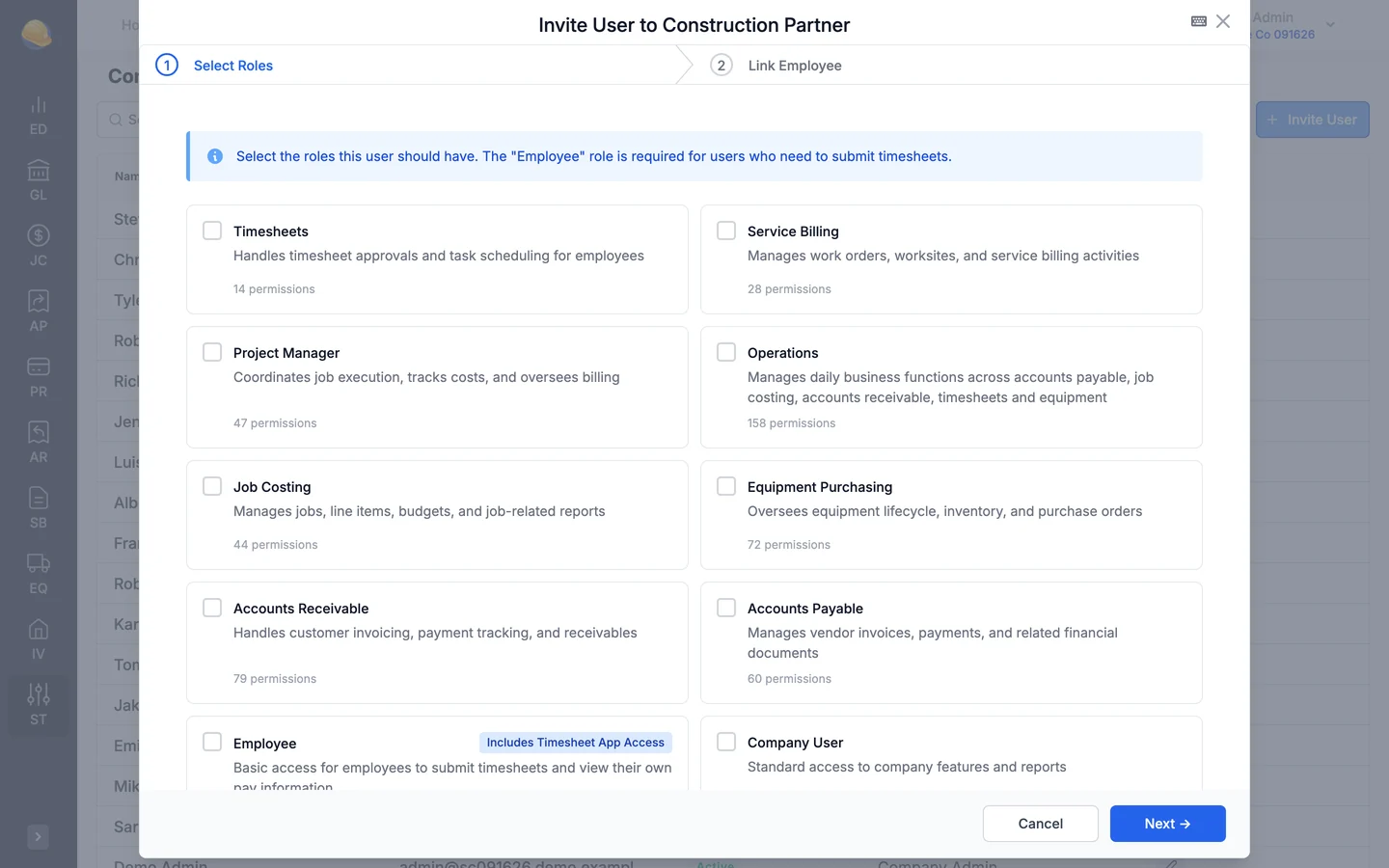
Invite users with the roles they need
Invite a user by email, pick their roles, and link them to an employee record if they log time. Roles are sets of permissions you define, from full company admin to a field employee who only submits timesheets.
- Give the payroll clerk payroll access and a foreman only timesheets
- Custom roles with the permissions each team needs
- Built-in Company Admin, Company User, and Employee roles
- Several companies under one organization
- Easy to work in
Excel-style entry, shortcuts, import, and export
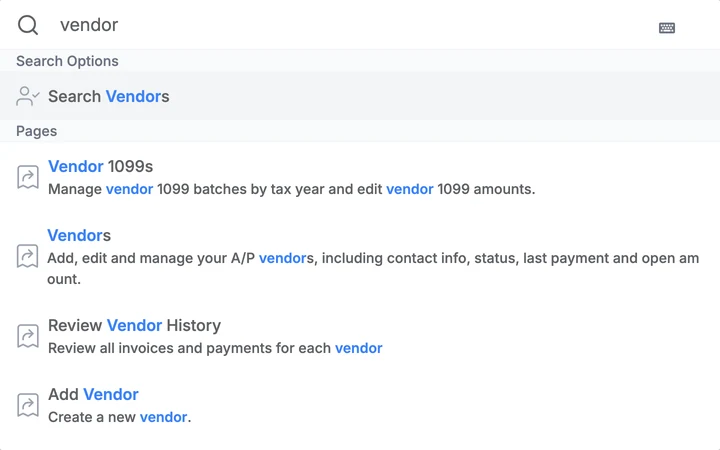
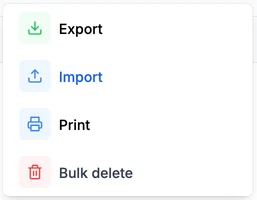
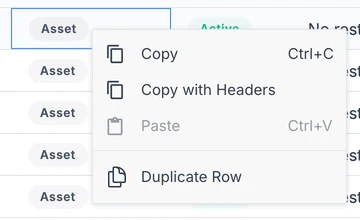
Accountants enter invoice, billing, and journal lines in a grid like Excel, paste rows from a spreadsheet, and duplicate the line above. Vendor, customer, and invoice lists import from and export to Excel or CSV, switch between grouped and list views, and print. Ctrl+K opens any page or finds a job, vendor, or employee.
- Import and export to Excel or CSV on vendors, customers, accounts, invoices, and more
- Edit invoice, billing, and journal lines in the grid, with copy and paste
- Grouped or list views on open invoices, billings, and payables, plus bulk delete and print
- Ctrl+K to open any page or find a vendor, job, or employee, and Ctrl+Enter to save

- Reports
84 standard reports across the platform
Each module has its own report set: payroll, general ledger, job costing, receivables, payables, equipment, purchasing, and service. Save report settings as a preset for yourself or the whole company, print to PDF, or export the results to Excel or CSV.
- Presets saved per user or shared with the company
- Print aging, job cost, and payroll reports to PDF for your CPA or bank
- Export tables to Excel or CSV
- Balance sheets and income statements from layouts you design
Search reports 84 reportsAccounting- General ledger (14)
- Accounts payable (10)
- Accounts receivable (11)
Operations- Payroll (19)
- Job costing (13)
- Equipment (7)
- Purchasing & inventory (6)
- Service billing (4)
What's inside
Cash position, revenue, receivables, WIP, and division results on one screen.
Private or shared dashboards built from widgets.
Ask how to run payroll, post a batch, or bill a job, and get the steps with screenshots.
Ctrl+K to find jobs, vendors, customers, employees, equipment, and work orders.
Custom roles decide who sees payroll, banking, and job data.
Add companies to one organization and switch between them.
Save the filters for your month-end aging and job cost reports and rerun them in one click.
Export lists and reports to Excel or CSV.
Load vendors, customers, employees, jobs, and invoices from files.
Connect bank accounts to see balances and transactions.
Change history on banks, payroll settings, timesheets, and more.
Attach contracts, invoices, and photos to jobs, vendors, billings, and work orders.
Hosted on AWS in the United States
Your accounting, payroll, and job data is encrypted in transit and at rest, backed up daily, and limited by role for every user.
See it run your kind of work
A 30-minute walkthrough of job cost, payroll, and billing with someone who knows construction accounting.