Job cost and pay applications from the same line items
Budget each job by cost code, post costs as they come in, and bill the owner from the same schedule of values. G702/G703 pay applications, retainage, and lien waivers come out of the billing you already entered.
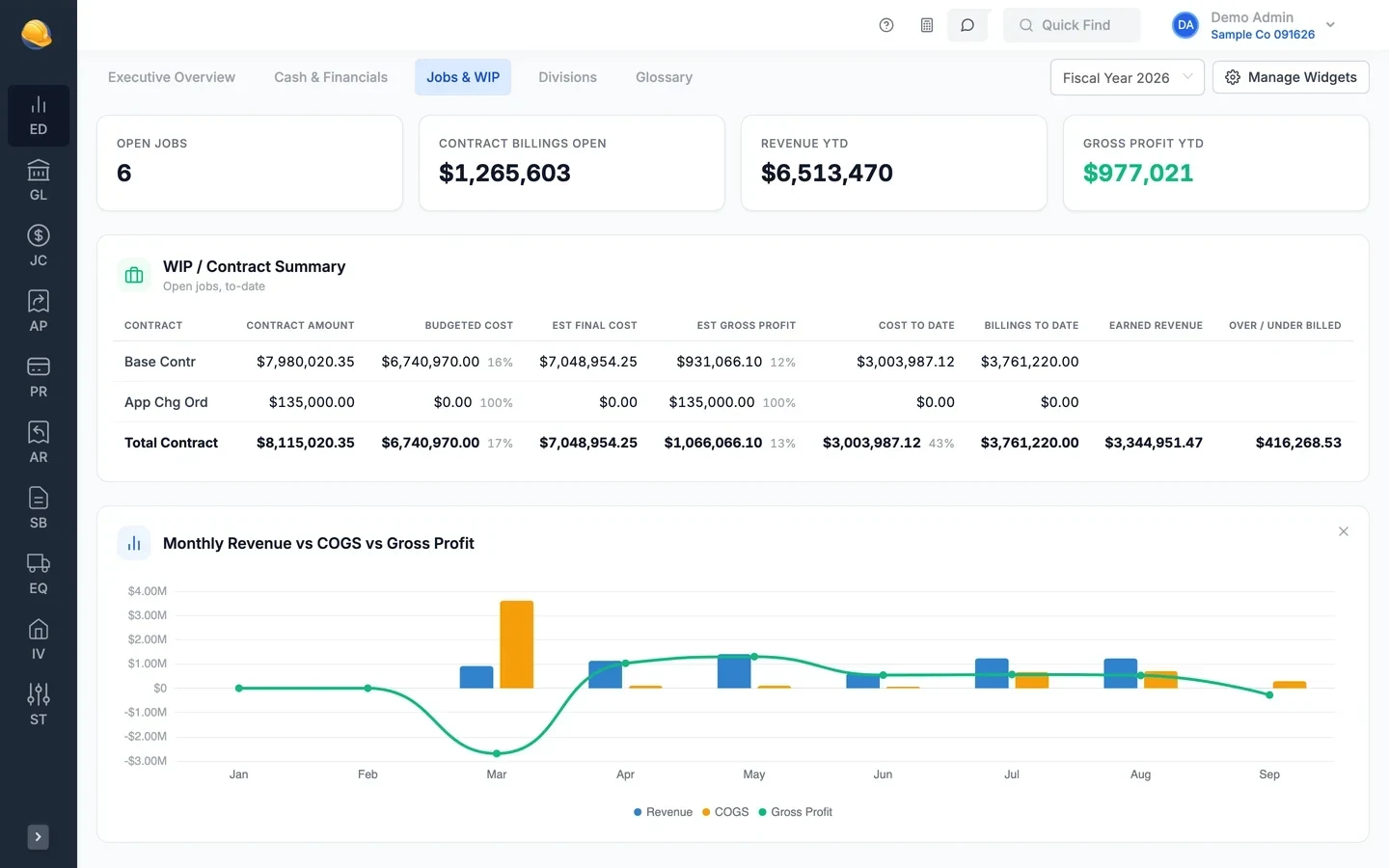
Set up the job once, then cost it and bill it
Line items carry the budget, the cost to date, and the schedule of values, so job cost reports and pay applications agree.
- Job dashboard
See where each job stands
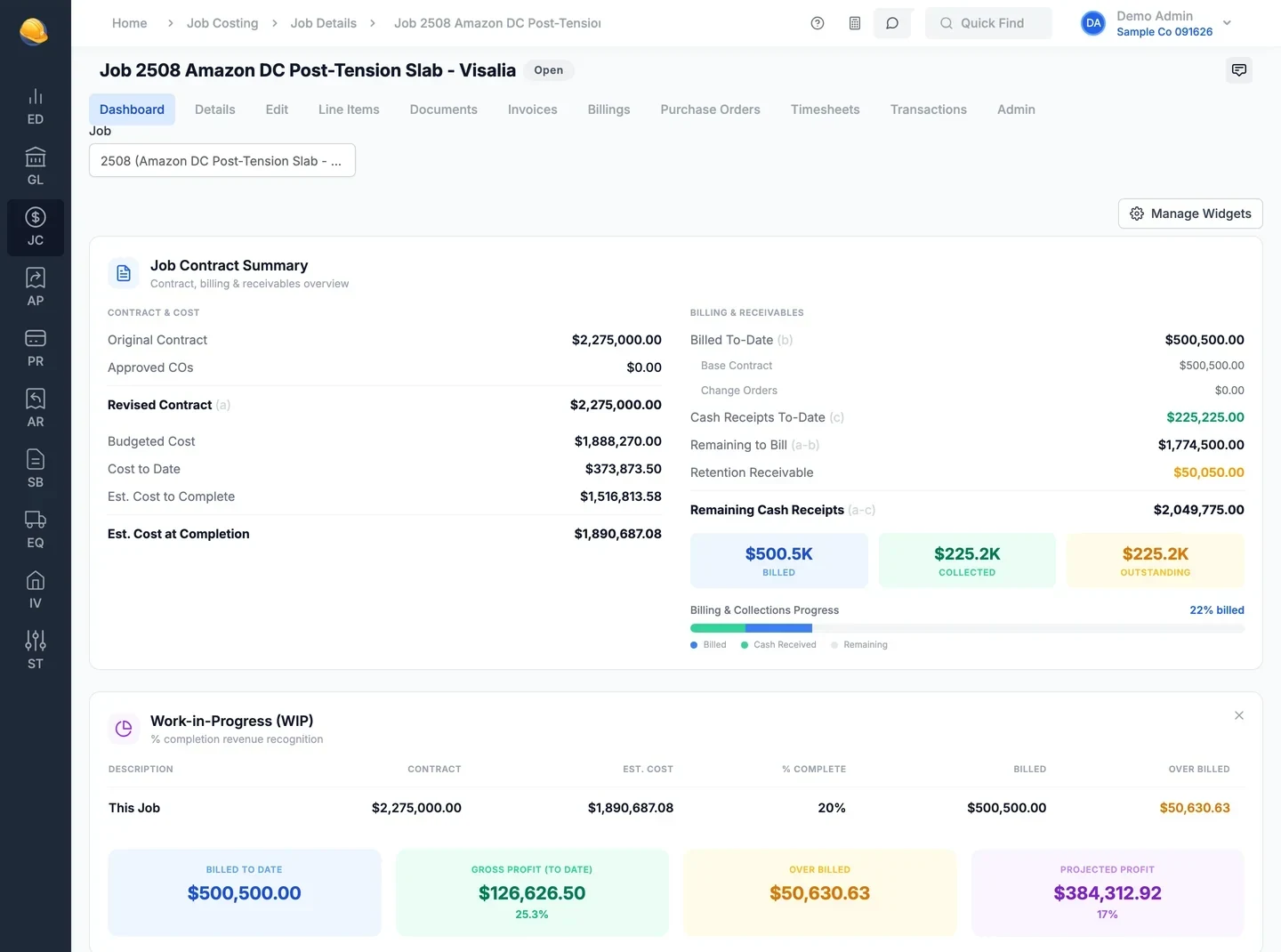
Each job has a dashboard with the contract, costs, billing, and cash on one screen. Turn on the widgets you want: contract summary, work in progress, cost by type, labor, equipment, open purchase orders, and open payables.
- Revised contract, cost to date, and estimated cost at completion
- Percent complete, over or under billed, and projected profit
- Billed, collected, and retention receivable to date
- Open purchase orders and vendor invoices waiting on approval
- Line items & budgets
Budgets by phase, cost code, and cost type
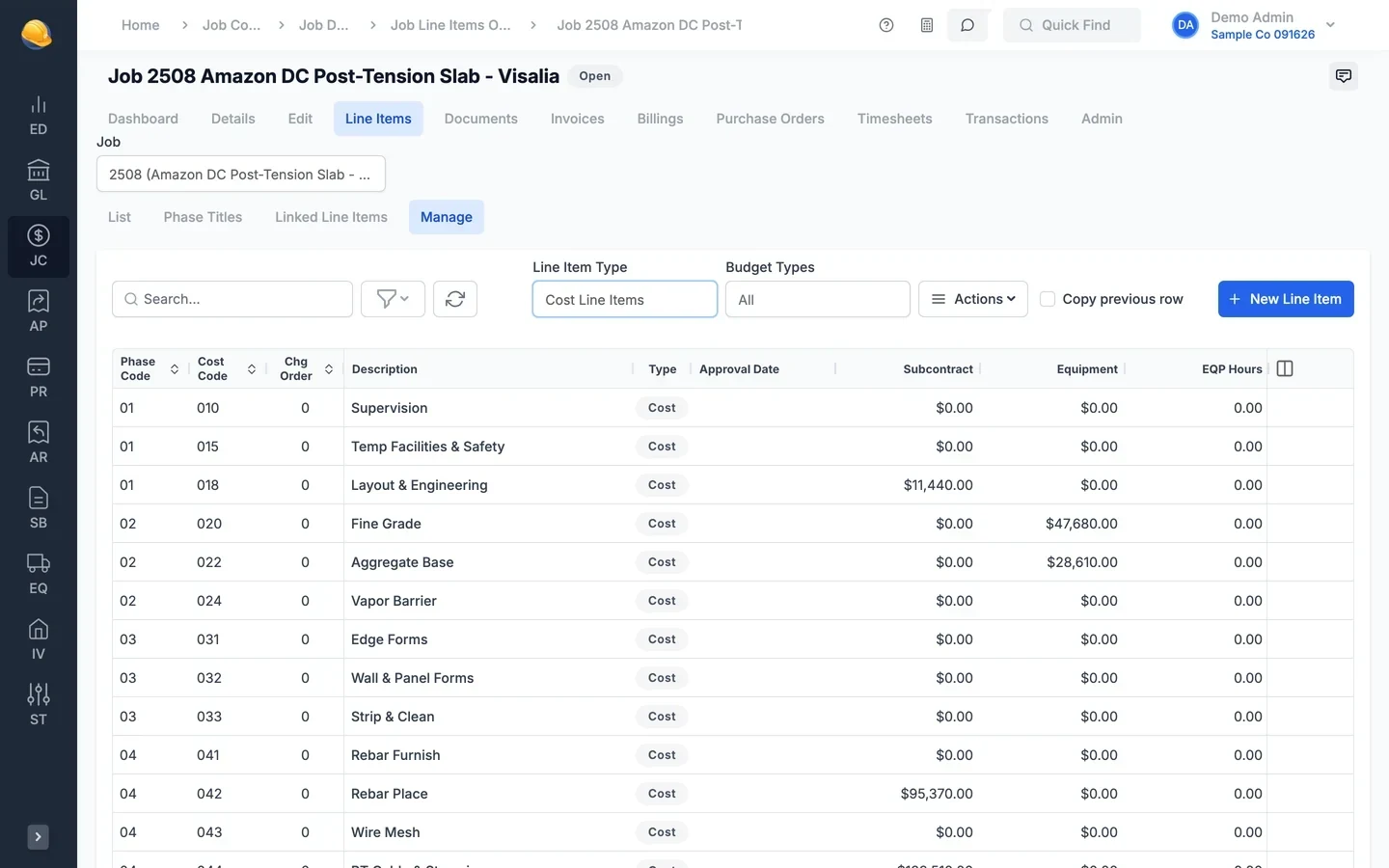
Set up cost and income line items for each job by phase and cost code. The manage view works like a spreadsheet: type budgets for labor, material, equipment, and subcontract straight into the grid, in dollars, hours, or units.
- Budget dollars, hours, and quantities per cost type
- Change orders kept as their own line items on the schedule of values
- Type labor, material, and equipment budgets into the grid, paste rows from Excel, and copy the previous row
- Percent complete updated by line item, by job, or for all open jobs at once
- Progress billing
AIA-style G702/G703 pay applications
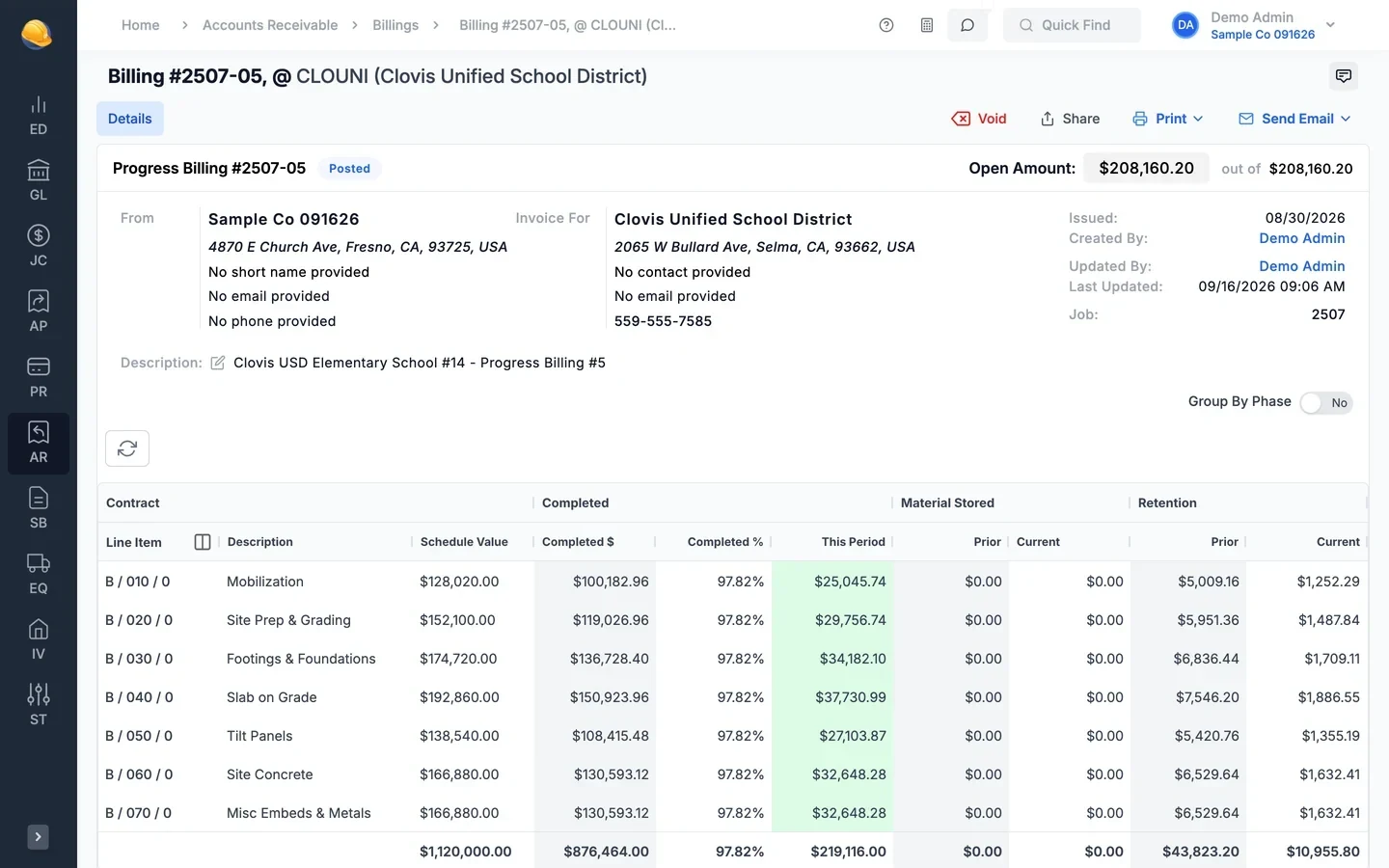
Bill from the schedule of values: enter work completed this period by line, and previous applications, materials stored, and retainage carry forward. Print the G702 and G703, add your saved signature, and combine them with a lien waiver into one PDF.
- Schedule value, completed to date, this period, and materials stored by line
- Base contract and change order lines grouped on the G703
- Print package: G702, G703, combined invoice, phase subtotals, and lien waiver
- Email billings to customers in batches, one PDF per billing or per customer
- Every contract type
Unit price, cost plus, lump sum, and service billing
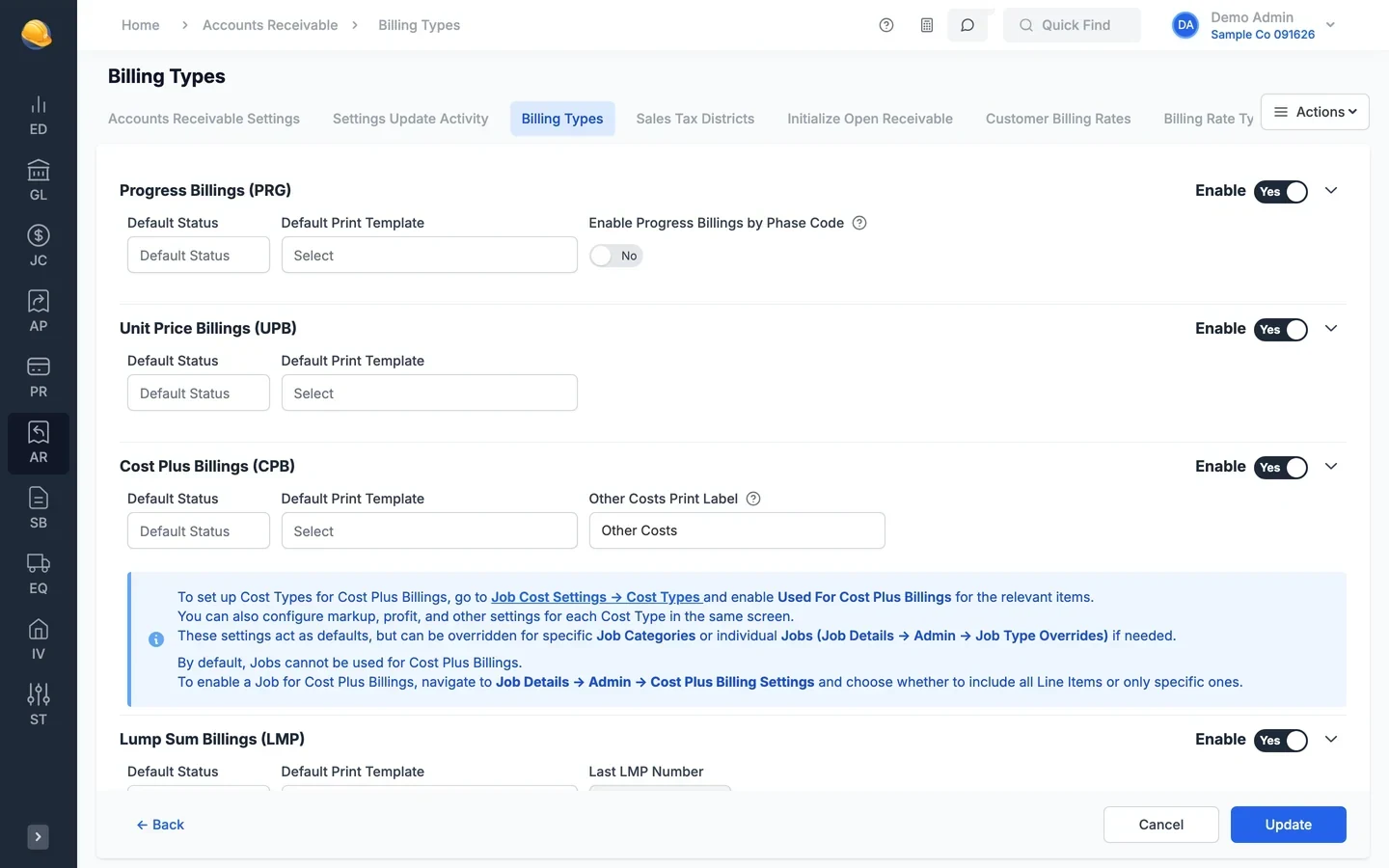
Not every job is a pay application. Bill unit price contracts by quantity, time and materials jobs from posted costs with your markups, lump sum contracts, and service work, each with its own print template.
- Cost plus billing picks posted labor, material, and equipment costs, then adds markup and profit
- Billing rates for labor by craft, equipment, and material
- Recurring lump sum and service billings for maintenance contracts
- A default print template for each billing type
- Retainage & lien waivers
Retainage held, released, and backed by waivers
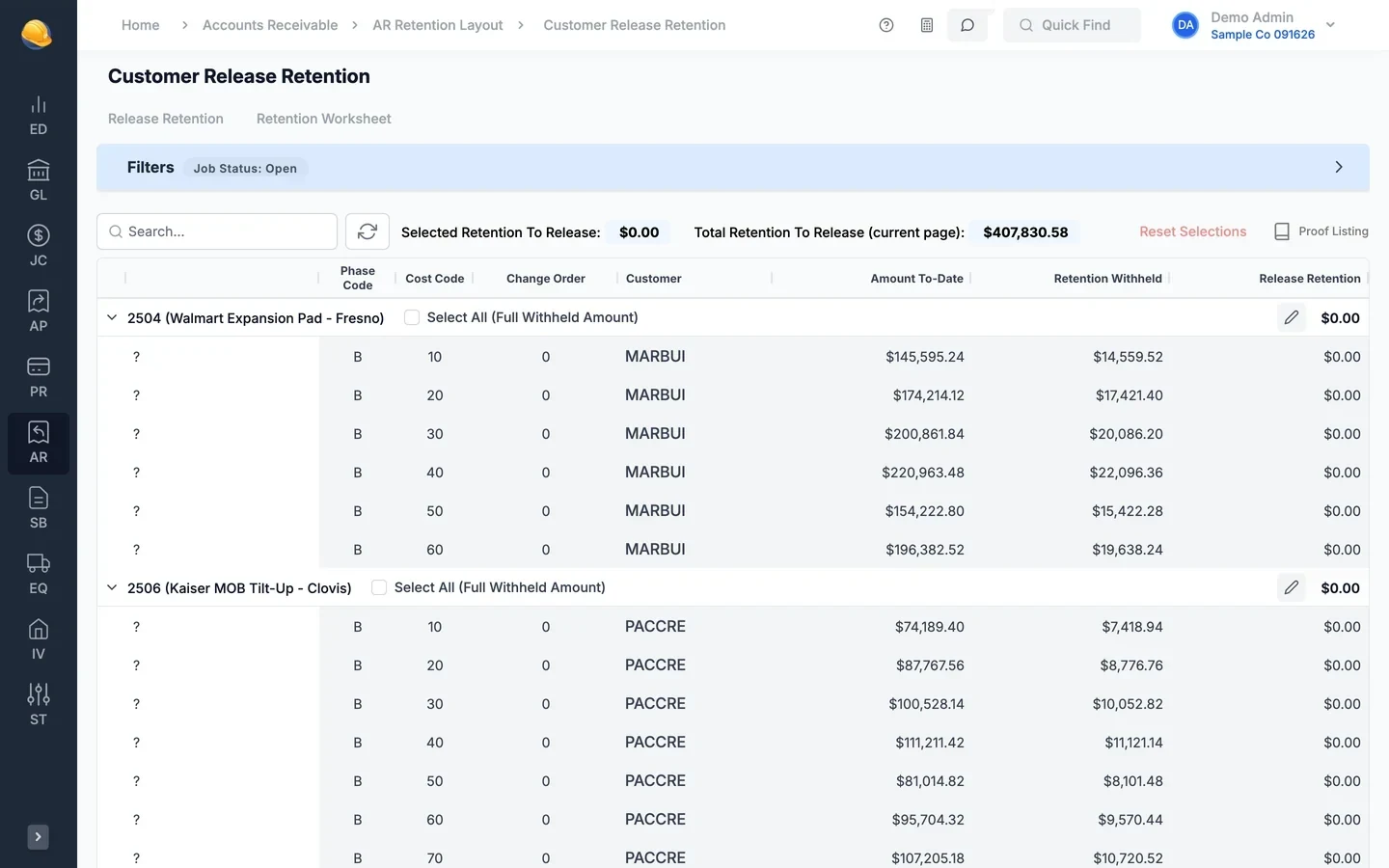
Retainage is tracked on every billing, line by line. Release all of it or a percentage right from the billing, or release it across jobs in a batch, and print conditional or unconditional waivers for progress and final payments.
- Retainage percent per job for billings and for subcontracts
- Full release or a partial release by percentage on a progress billing
- Release retention batches by customer and job, with a proof listing
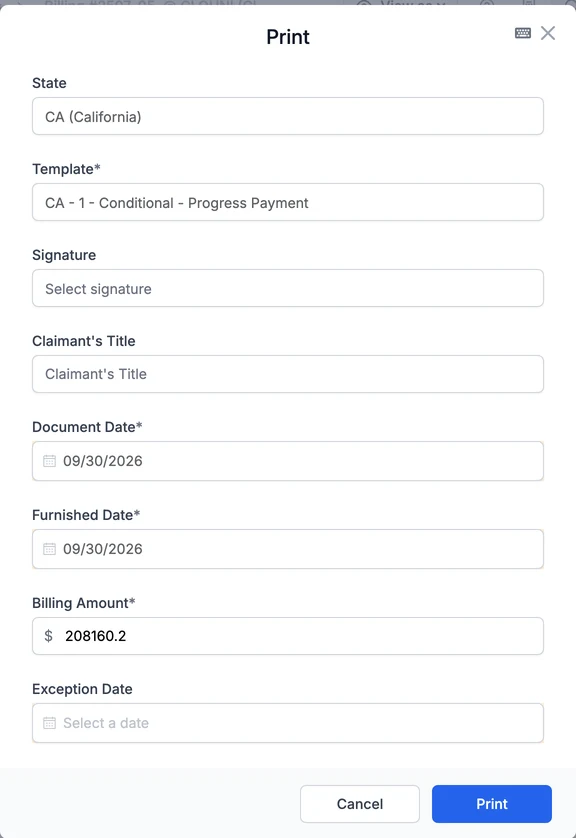
- Conditional and unconditional waivers, progress and final, including California forms
- Preliminary notices
Preliminary notices from the job record
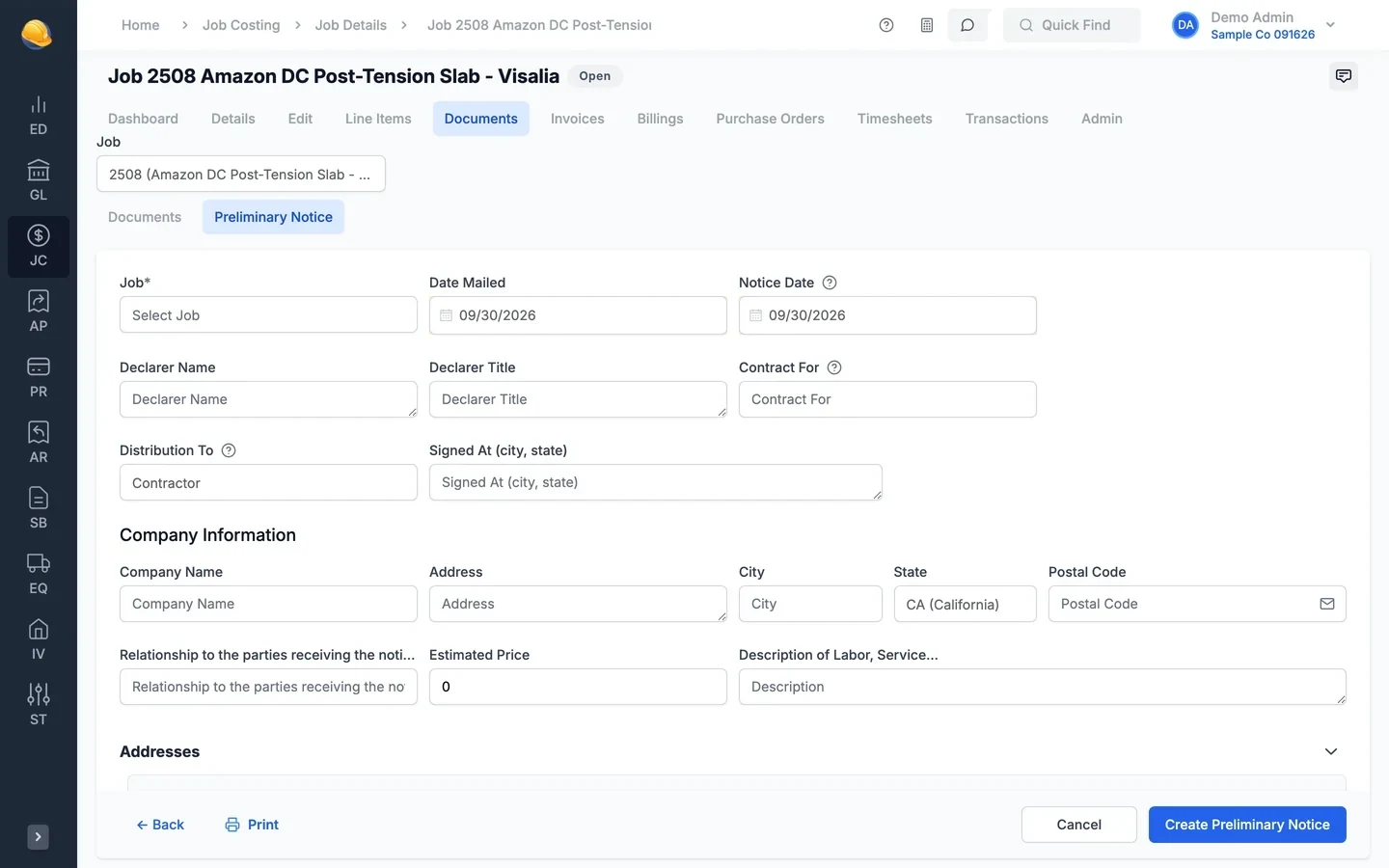
Create the preliminary notice on the job with the owner, lender, and company addresses, the estimated price, and a description of the work. Print it for mailing and keep the mailing and notice dates with the job.
- California public works and private work forms, and the Oregon form
- Date mailed and notice date stored on the job
- Sent to the owner, contractor, architect, or another party
- Estimated price and description of labor and materials
- Job & billing reports
Reports before you bill and after you close
Check each job before you send the pay application with the pre-billing worksheet, then follow up with aged receivables by job. Job cost reports compare cost to budget, committed cost, and billings to cost, and every report can be saved as a preset, printed, or exported.
- Job pre-billing worksheet with scheduled value, previously billed, materials stored, and retention
- Aged receivables by job, with retention receivable shown separately
- Job profit summary with over and under billing
- Saved presets for the reports you run every month
Search reports 22 reportsJob costing- Job Profit Summary
- Job Cost to Budget Comparison
- Job Cost Detail
- Daily Job Cost Detail
- Job Budget Detail
- Job Cost Variance
- Committed Cost Status
- Subcontract Status Report
- Billing / Cost Comparison
- Period Cost / Income Summary
- Labor Status Report
- Job Listing
Accounts receivable- Job Pre-Billing Worksheet
- Aged A/R by Job
- Aged A/R by Customer
- Waiver & Release
- Customer History
- Invoice Listing by Invoice
- Recurring Receivable Listing
- Customer Statements
- Sales Tax Report
- Customer Listing
What's inside
Percent complete by line item, by job, or for all open jobs at once.
Income line items by phase and cost code, with change order lines.
Pay applications with materials stored, retainage, and your saved signature.
Held on each billing line, released in full or by percentage.
Conditional and unconditional, progress and final, including California forms.
California public and private work notices, and the Oregon form.
Bill by quantity installed, with phase subtotals or totals only.
Bill posted costs with markup, profit, and craft or equipment rates.
Lump sum and service billings created on a schedule.
Prevailing wage settings and the DLSE project ID on the job.
Profit summary, cost to budget, committed cost, and billing to cost comparison.
Print or email a batch of billings, one PDF per billing or per customer.
Start from the pay application you already have
Upload an existing progress or unit price pay application as a PDF or Excel file, and its lines become the job line items, with prior billings and retainage filled in.
See it run your kind of work
A 30-minute walkthrough of job cost, payroll, and billing with someone who knows construction accounting.