Work orders in, service invoices out
Create a work order with a customer and a worksite, and technicians log their hours against it from the timecard app. Labor, material, and equipment costs collect on the work order, and you bill them on a service invoice.
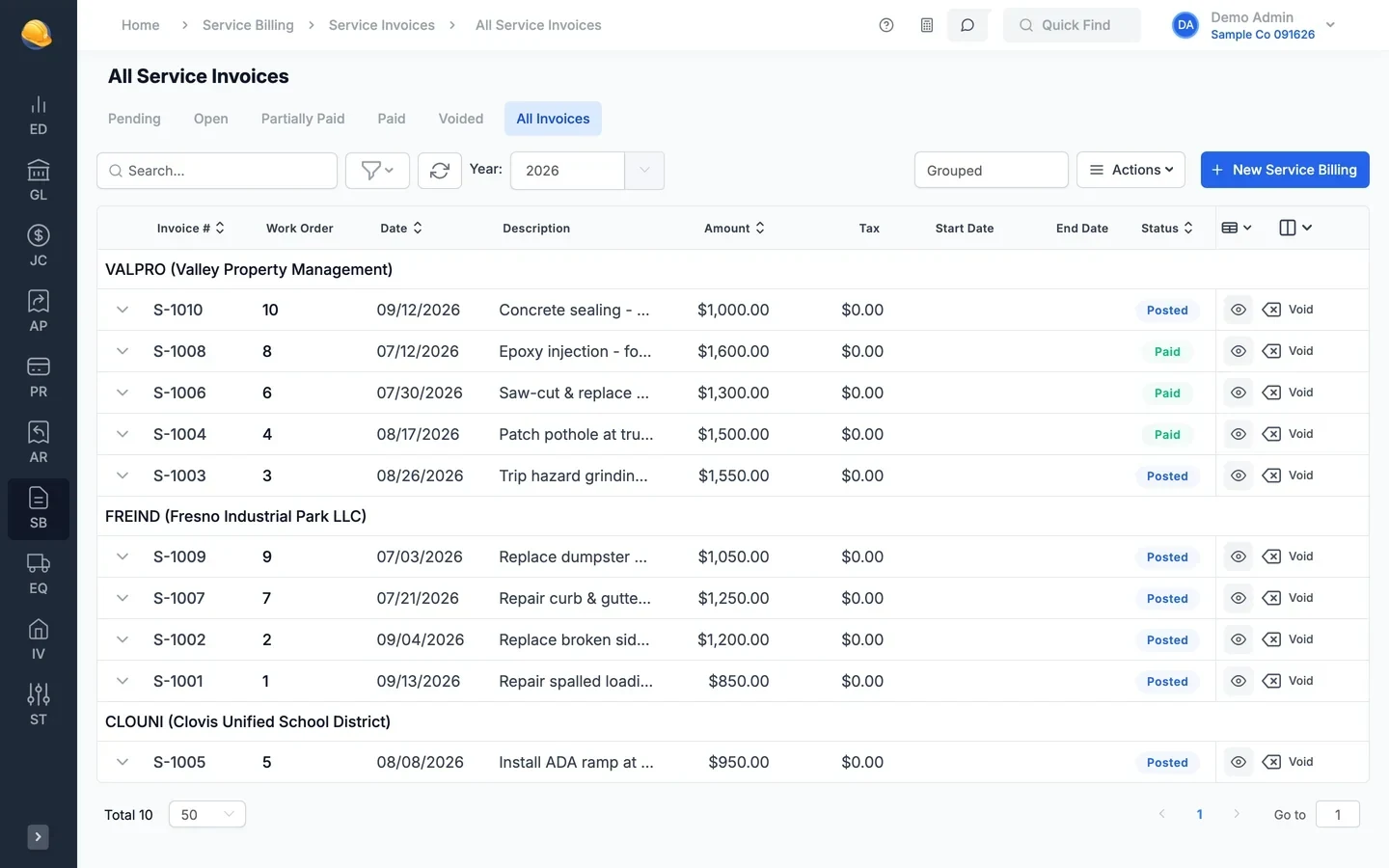
Call details, technician hours, and costs on one work order
Everything posted to a work order, from timecards to vendor invoices, is ready to bill when the job is done.
- New work order
A work order needs a customer and a worksite
Pick the customer, pick or create the worksite, and save. The work order number is assigned for you. Assigned tech, billing rate, the customer PO, who placed the call, and promised or scheduled dates are there when you need them.
- Work order number assigned automatically on save
- Create the worksite from the customer address in one click
- Do Not Bill warning and the customer aging shown while you type
- Show in timesheets so techs can log time to it right away
- Work orders
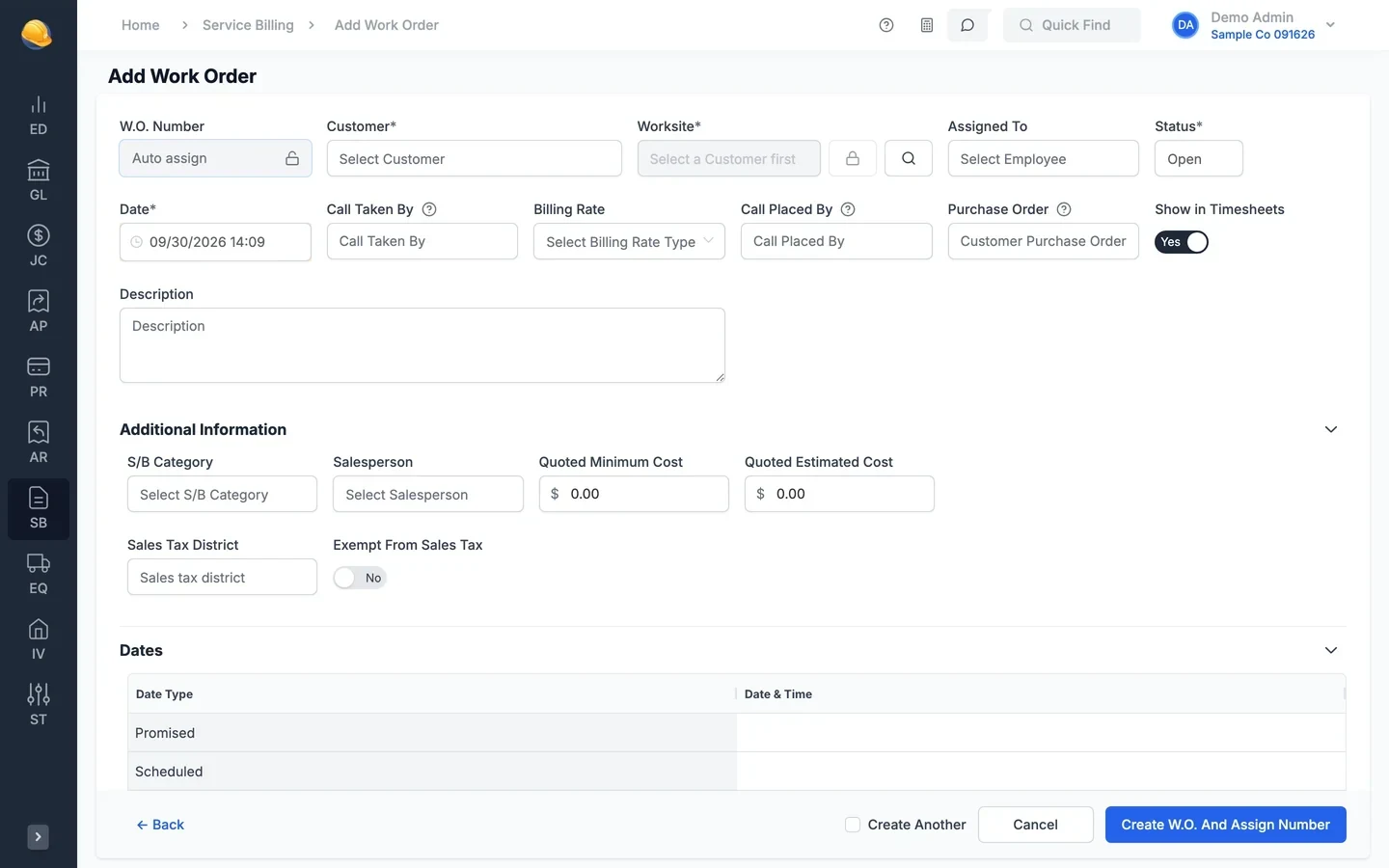
Open, billed, unbilled, and completed at a glance
Work orders are grouped by customer with their worksite, description, status, and date. Open a work order to see its cost to date, income to date, and margin, with the timesheets, vendor invoices, and purchase orders behind them.
- Tabs for open, billed, unbilled, closed, and completed work orders
- Statuses for on hold waiting on parts or other reasons
- Cost to date, income to date, and margin on each work order
- Close old work orders in bulk

- Service invoices
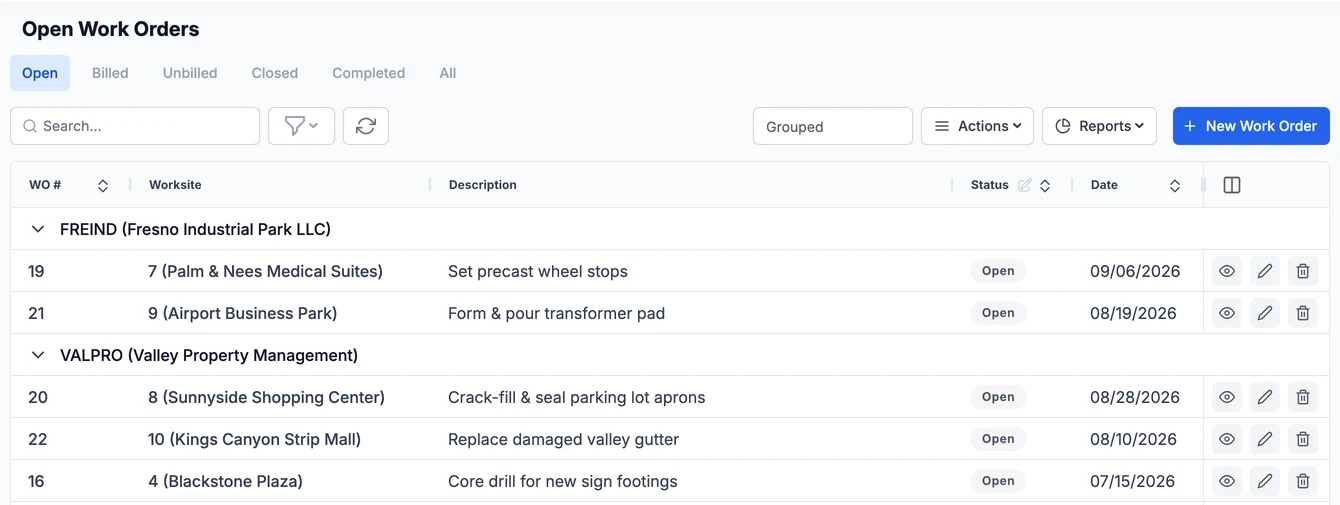
Bill the costs on the work order
Pick a work order on a new service invoice and the customer, billing rate, and service codes fill in. To bill many at once, select the costs posted to work orders, apply your billing rates and markup, and create the invoices in one step.
- Labor, material, equipment, and subcontract lines with sales tax
- Select costs for billing by customer, work order, and date range
- Standard, grid, and envelope invoice templates, or print the work order
- Email the invoice to the customer and track it in receivables
- Recurring service invoices
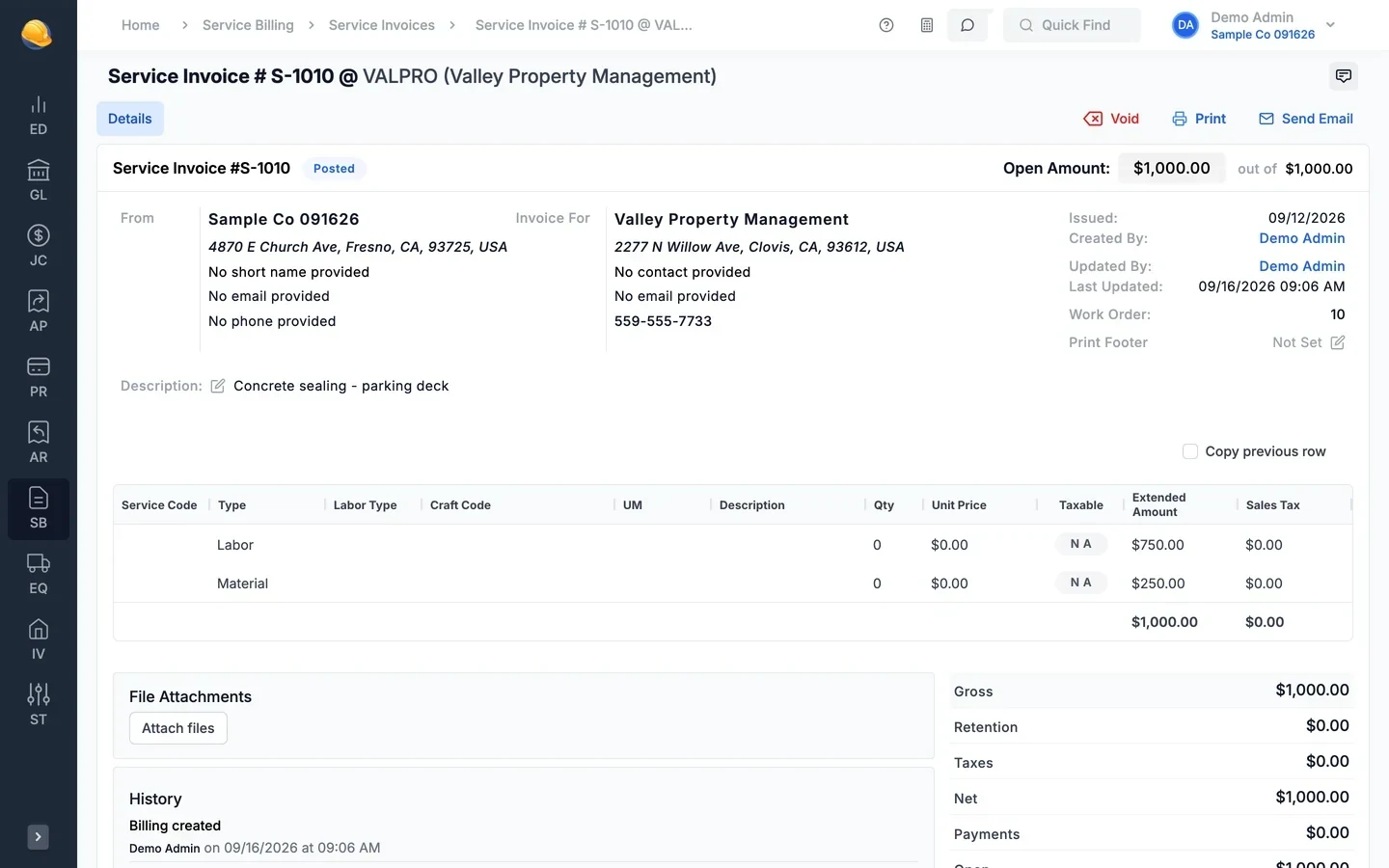
Maintenance contracts billed on a schedule
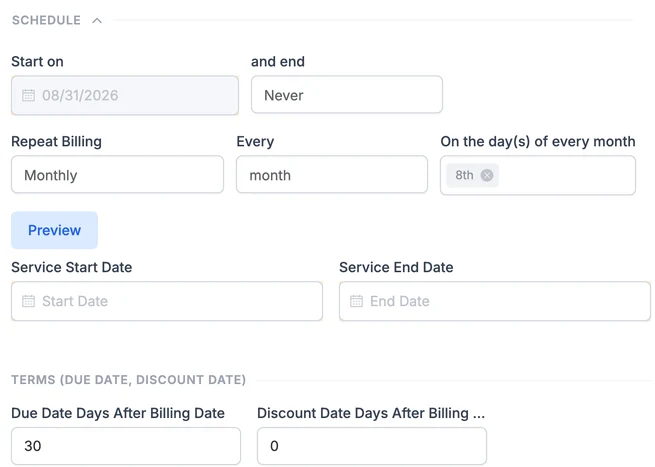
Set up a recurring service invoice for each maintenance contract with its amount and schedule. Invoices are created on each date for review, or posted automatically, and the work order can close when the contract ends.
- Monthly billing for HVAC, plumbing, and other service contracts, with start and end dates
- Review queue before recurring invoices post
- Post automatically and close the work order after
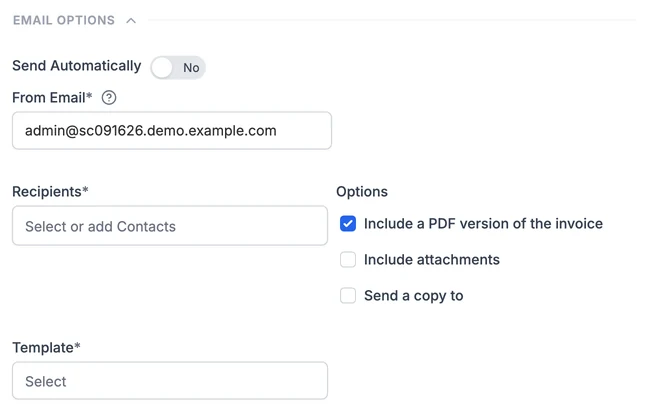
- Email each invoice automatically with a PDF to the customer contacts
- Work order profit
Cost, billed, and margin for every work order
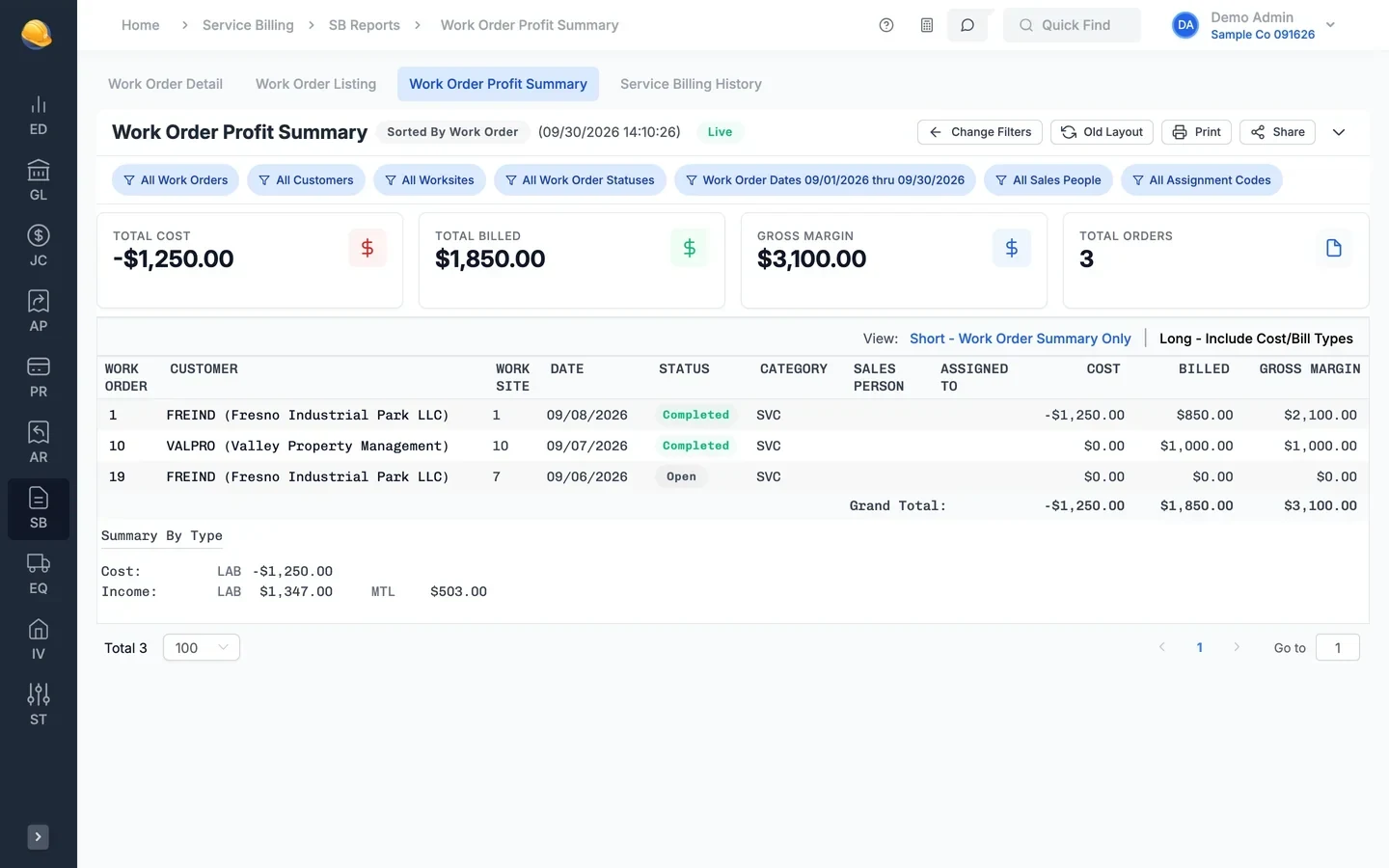
The work order profit summary lists cost, billed amount, and gross margin by work order, customer, and category, with a summary by cost type. Detail and listing reports show every cost behind the numbers.
- Work order detail and work order listing reports
- Profit summary by work order, customer, or salesperson
- Service billing history by customer and worksite
- Manual cost and income adjustments posted to the ledger
What's inside
Send service invoices to customers by email and track payment in receivables.
Address, contact, cross streets, tax district, and the work orders at each site.
Techs log hours to a work order from the timecard app.
Assign work order tasks to employees or crews and drag them to a new time.
Customer rates for labor by craft, equipment, and material, plus markup.
Select costs for billing and create service invoices for many work orders at once.
Standard, grid, and envelope service invoices, and work order prints.
Maintenance contracts billed on a schedule, with review or automatic posting.
Parts and subcontract work bought on a PO coded to the work order.
Prevailing wage settings on the work order for public work.
Sales tax on service invoice lines, with tax-exempt customers and work orders.
Work order detail, listing, profit summary, and billing history.
Service invoices post to the same general ledger as your jobs
Service invoices post to receivables and the general ledger, and technician hours flow to payroll with the rest of your crews.
See it run your kind of work
A 30-minute walkthrough of job cost, payroll, and billing with someone who knows construction accounting.