See how much of every purchase order is invoiced
Each PO line is coded to a job, cost code, piece of equipment, work order, or inventory. Vendor invoices are entered against the PO lines, so the invoiced amount and the remaining balance stay current on every PO.
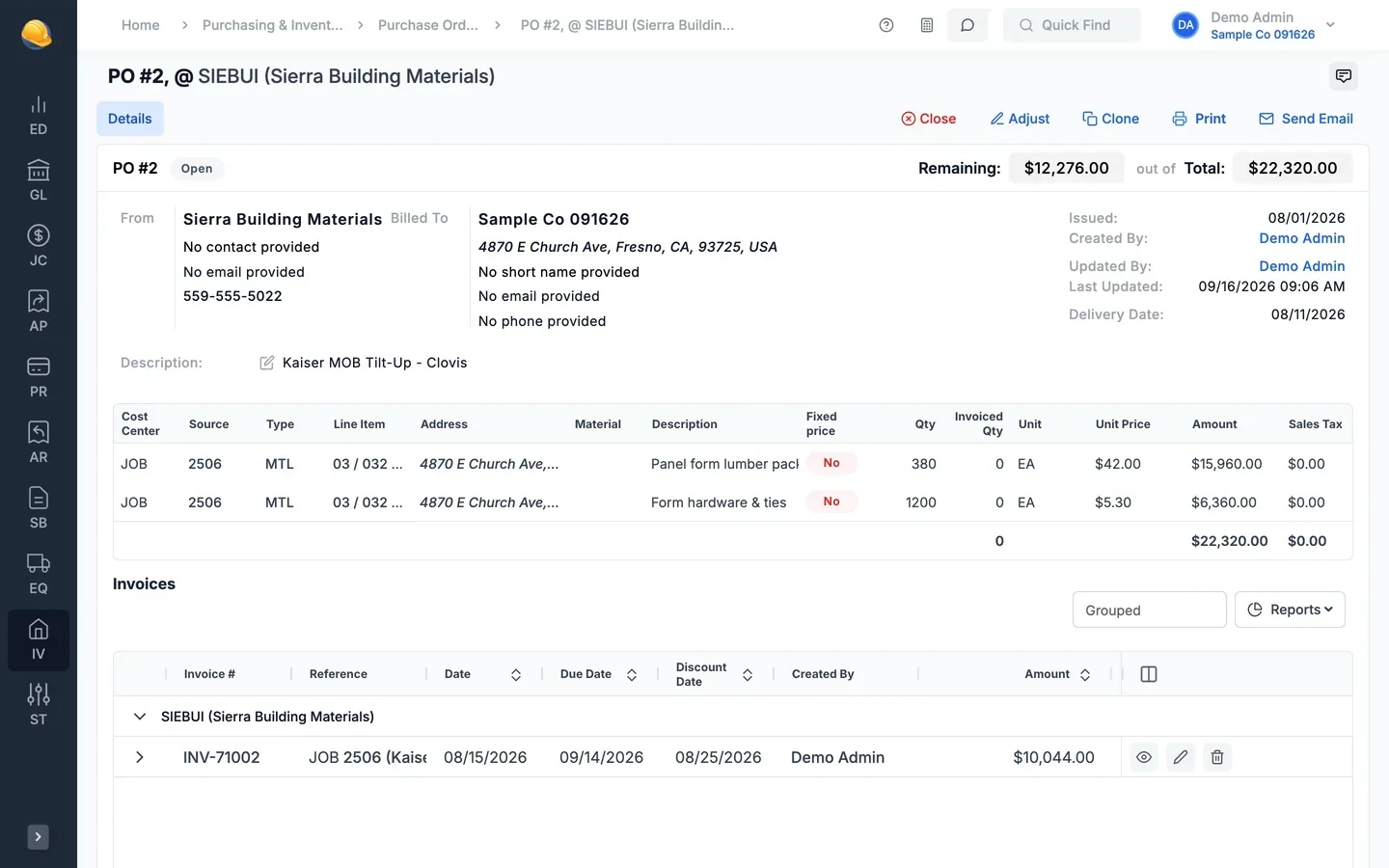
Order, adjust, invoice, and close each PO
Purchase orders feed committed cost on the job. Invoices, adjustments, and receipts keep each PO line up to date until it closes.
- Purchase orders
Purchase orders coded to the job before the material ships
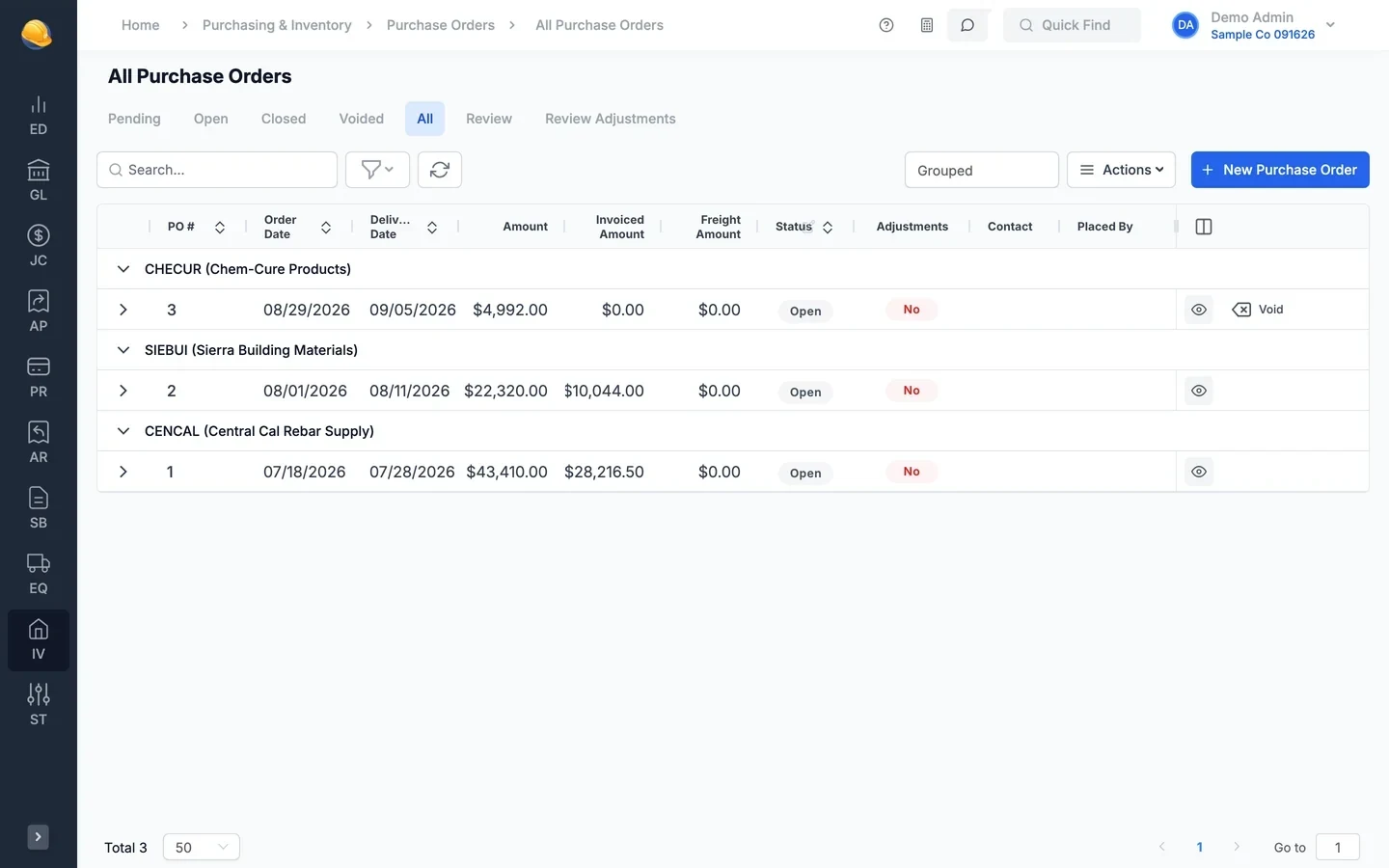
Create a PO with the vendor, delivery date, and lines coded to a job and cost code, equipment, a work order, or inventory. Pending POs go through review before they open, and open POs count as committed cost on the job.
- Fixed price and unit price lines with sales tax and freight
- Review and approve or reject pending purchase orders
- Print as a purchase order or subcontract agreement and email it to the vendor
- Clone a PO, or import purchase orders from a file
- Invoices against POs
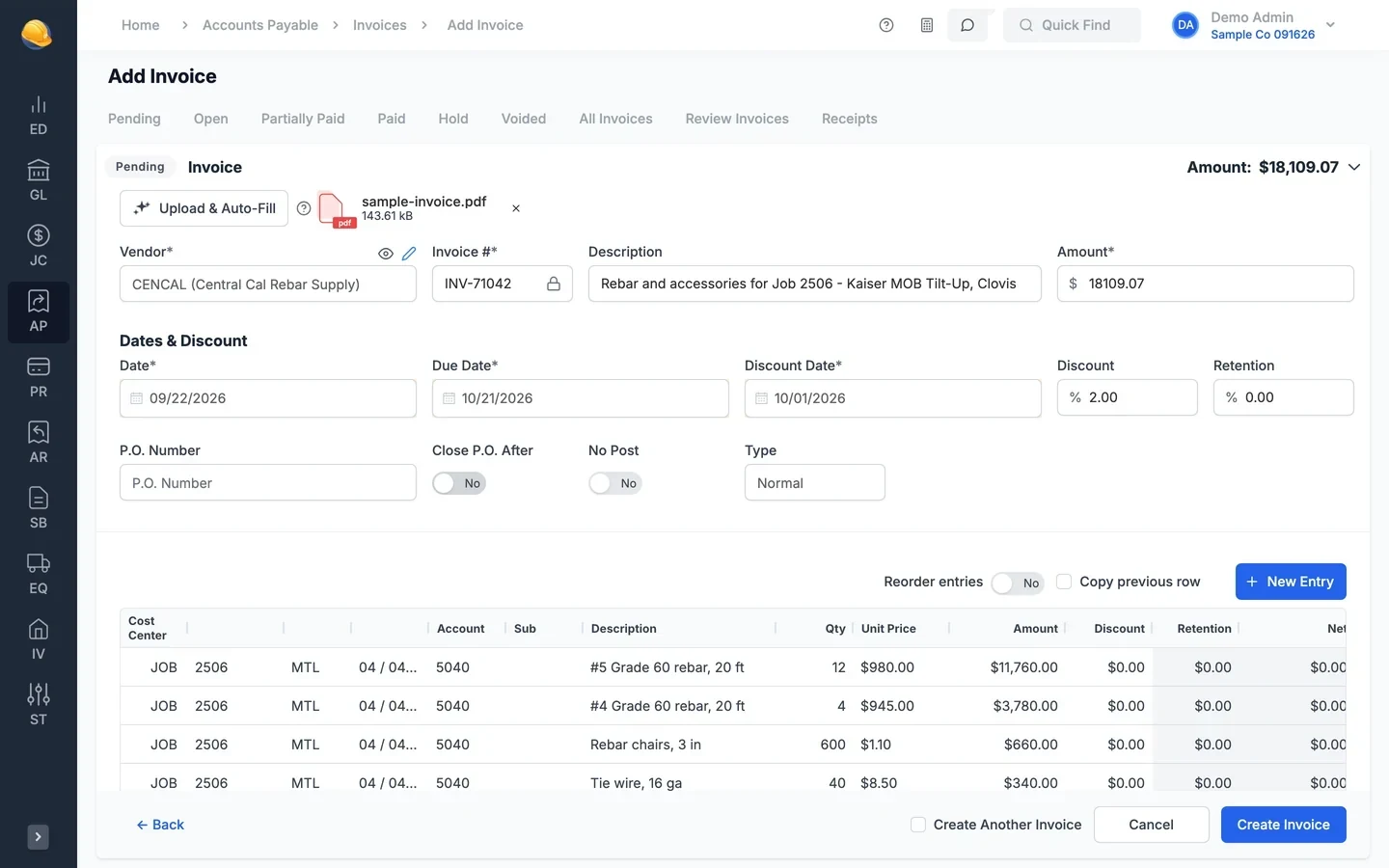
Invoice the PO line by line
Enter the PO number on a vendor invoice and pick the PO lines to bill. Each line shows what remains to invoice, and the invoice updates the invoiced quantity and amount on the PO. Close the PO when it is fully invoiced, or let it close automatically.
- Remaining amount to invoice on each PO line
- Hide lines that are already fully invoiced
- Warning when an invoice goes over the PO amount
- Voiding an invoice reopens the purchase order
- PO adjustments
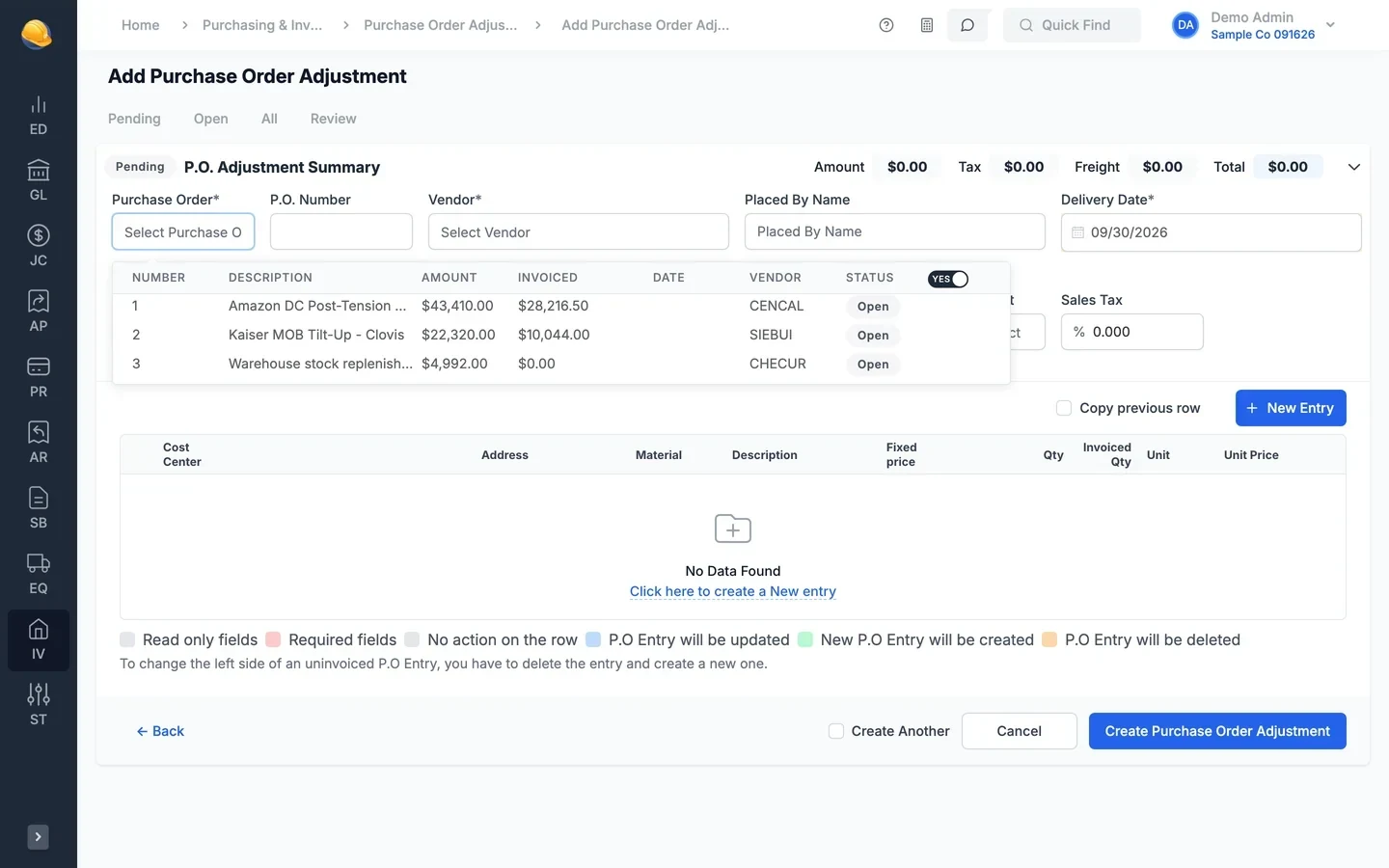
Change orders on purchase orders
Add, change, or remove PO lines with a PO adjustment. The summary shows the amount, tax, and freight before and after, and an adjustment cannot take a line below what has already been invoiced. Posted adjustments update committed cost on the job.
- Add new lines, update quantities and prices, or delete uninvoiced lines
- Before and after totals for amount, tax, and freight
- Review and approve adjustments before they post
- Print a change order agreement for the vendor
- Budget tracking
See how much of each job budget is already spent or on order
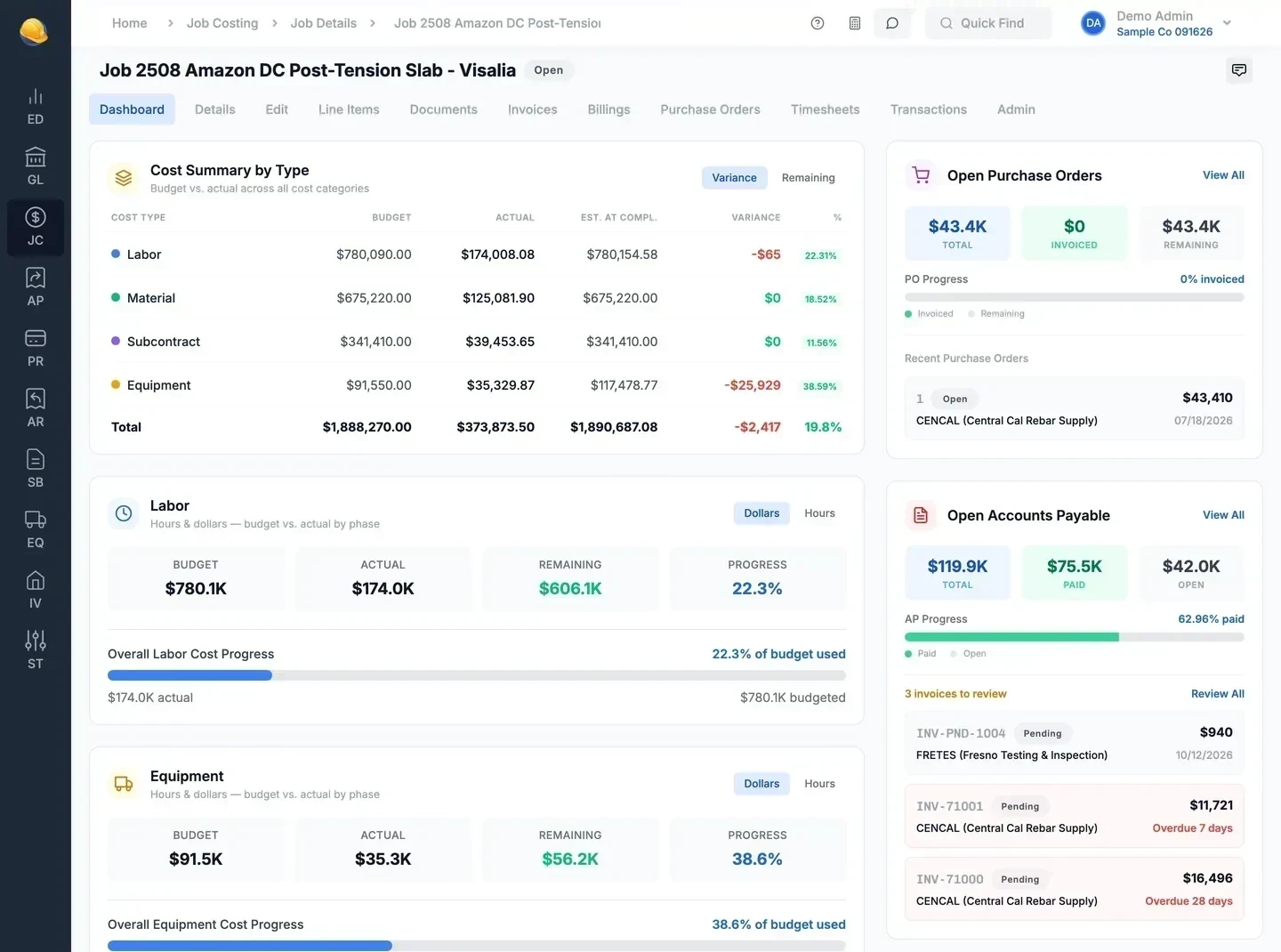
The job dashboard puts the budget, actual cost, and variance by cost type next to the open purchase orders on the job. The job budget vs. committed report shows, line by line, what is still left to buy, so you know whether the budget covers the next order.
- Budget, actual, and variance by cost type on the job dashboard
- Open purchase orders on the job with amount and invoiced to date
- Purchase order invoice detail with invoiced to date and retention
- Budget vs. committed report with the budget left to buy by line item
- Materials & inventory
Materials with cost, on hand, and on order
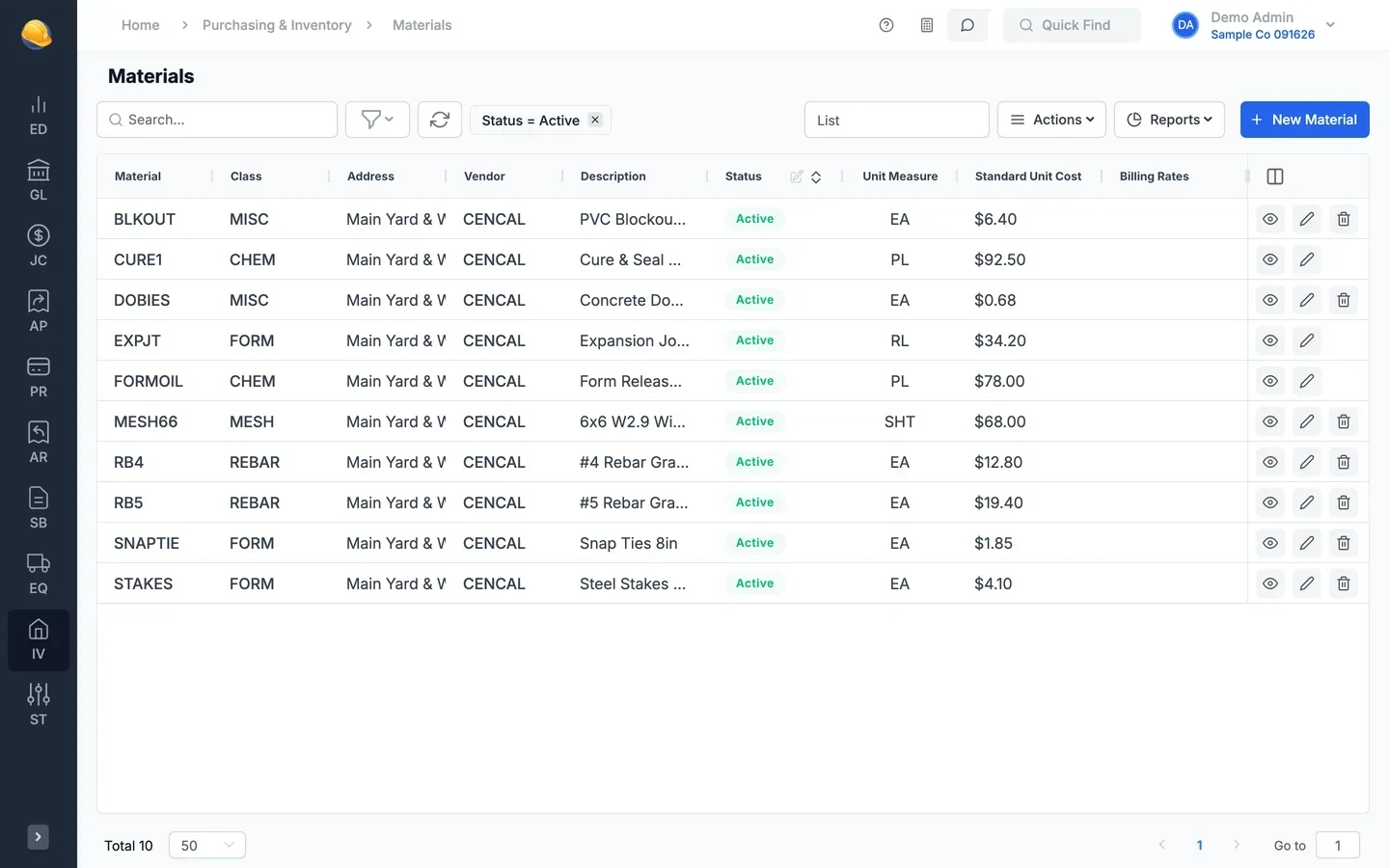
Keep a material list with class, unit, standard cost, and vendors. Material bought for inventory shows as on hand and on order, and a transfer to cost of goods sold moves it to the job, piece of equipment, or work order that used it.
- Standard, average, last PO, or last invoice price for charge-out
- Receive material against open PO lines, with the packing slip number
- Inventory adjustments and transfers to jobs, equipment, or work orders
- Inventory history listing and inventory trial balance
What's inside
Each PO line coded to a job and cost code, a unit, a work order, inventory, or overhead.
Review pending purchase orders and approve or reject them with a reason.
Print a PO as a subcontract or change order agreement.
Send the purchase order to the vendor from the PO.
Invoiced quantity and amount on each PO line, updated as invoices post.
Close a PO when it is fully invoiced, or close them in bulk.
Change orders that add, update, or remove PO lines.
Scanning a vendor invoice PDF reads the PO number printed on it.
Class, unit, conversion factor, standard cost, and vendors per material.
Receive material against open unit price PO lines.
Move material from inventory to jobs, equipment, or work orders.
PO listing, budget vs. committed, PO invoice detail, materials, inventory history, trial balance.
Import your open purchase orders and material list
Bring in purchase orders and materials from CSV or Excel files, so committed cost is right from the first day.
See it run your kind of work
A 30-minute walkthrough of job cost, payroll, and billing with someone who knows construction accounting.