The hardest working software in construction™
Office, jobs, field service, equipment, inventory, and time. One system and one ledger, built for the way contractors actually run.
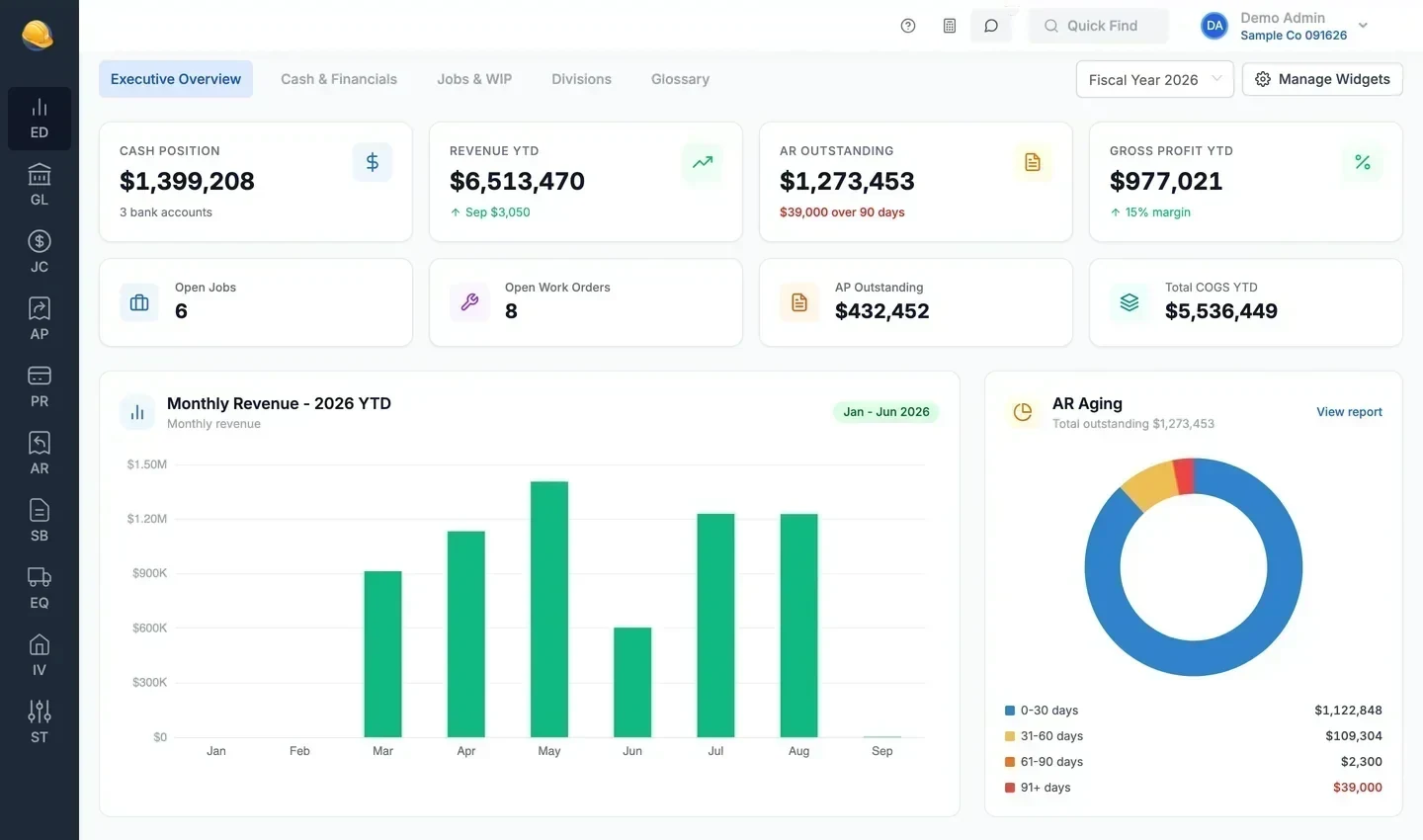
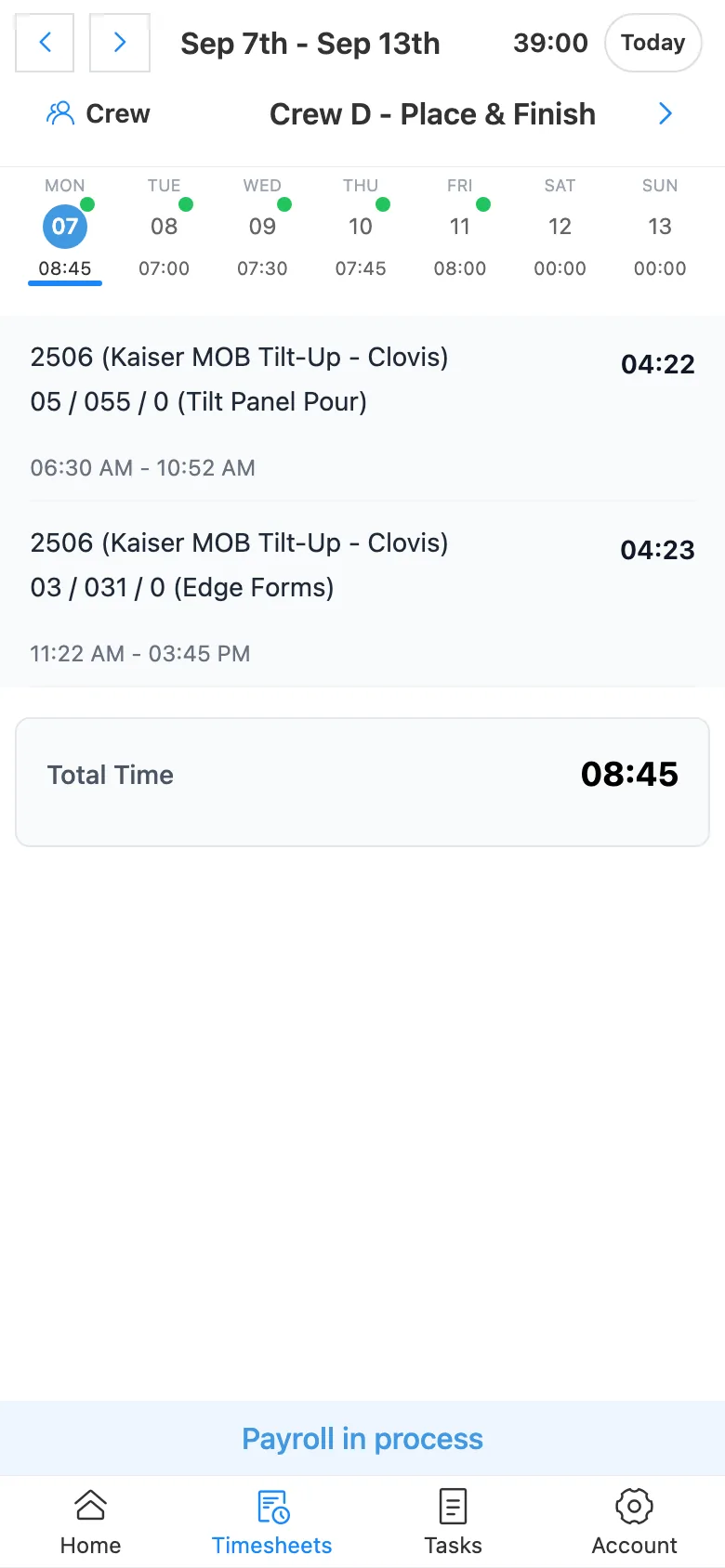
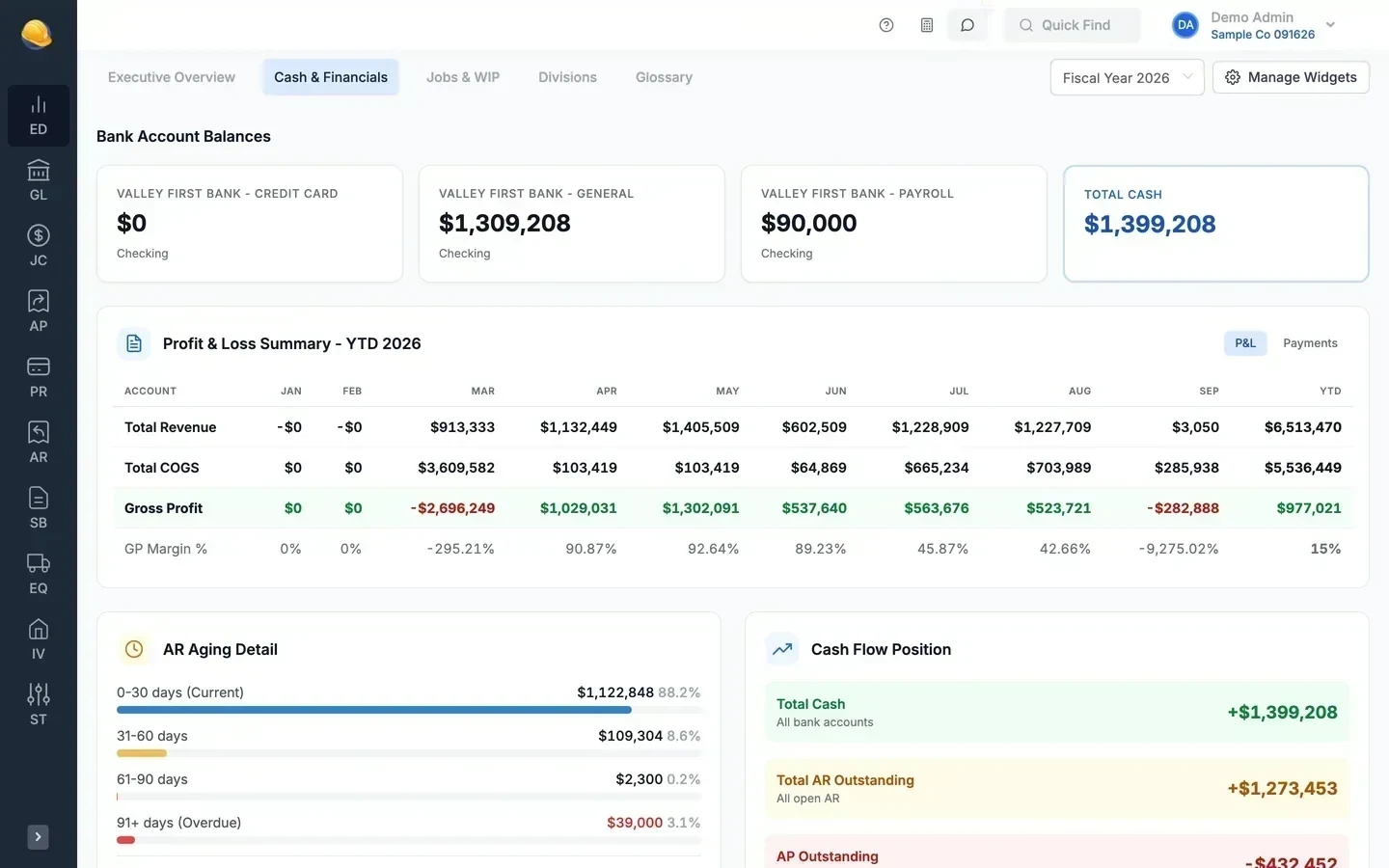
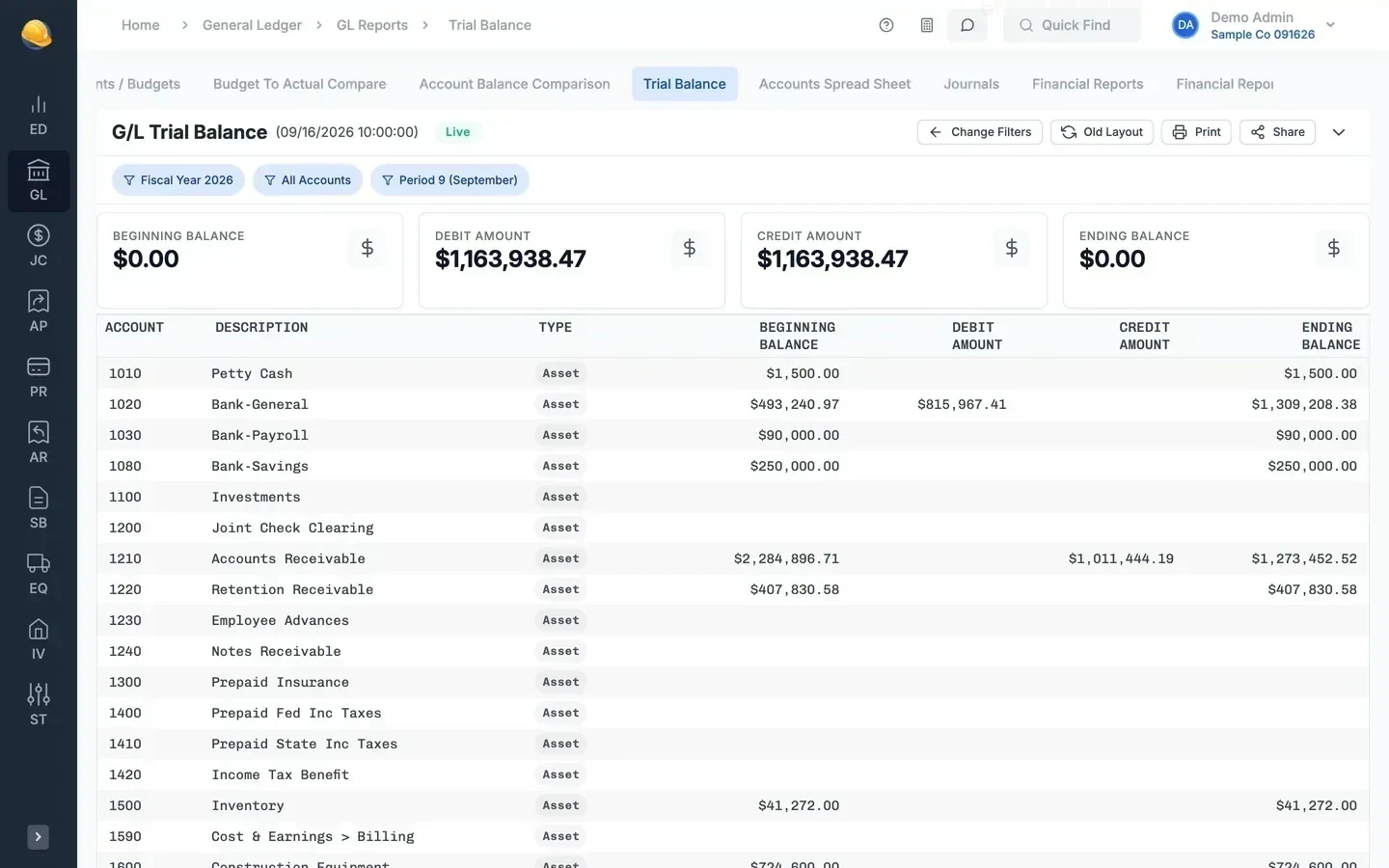
Accounting, jobs, and operations in one system
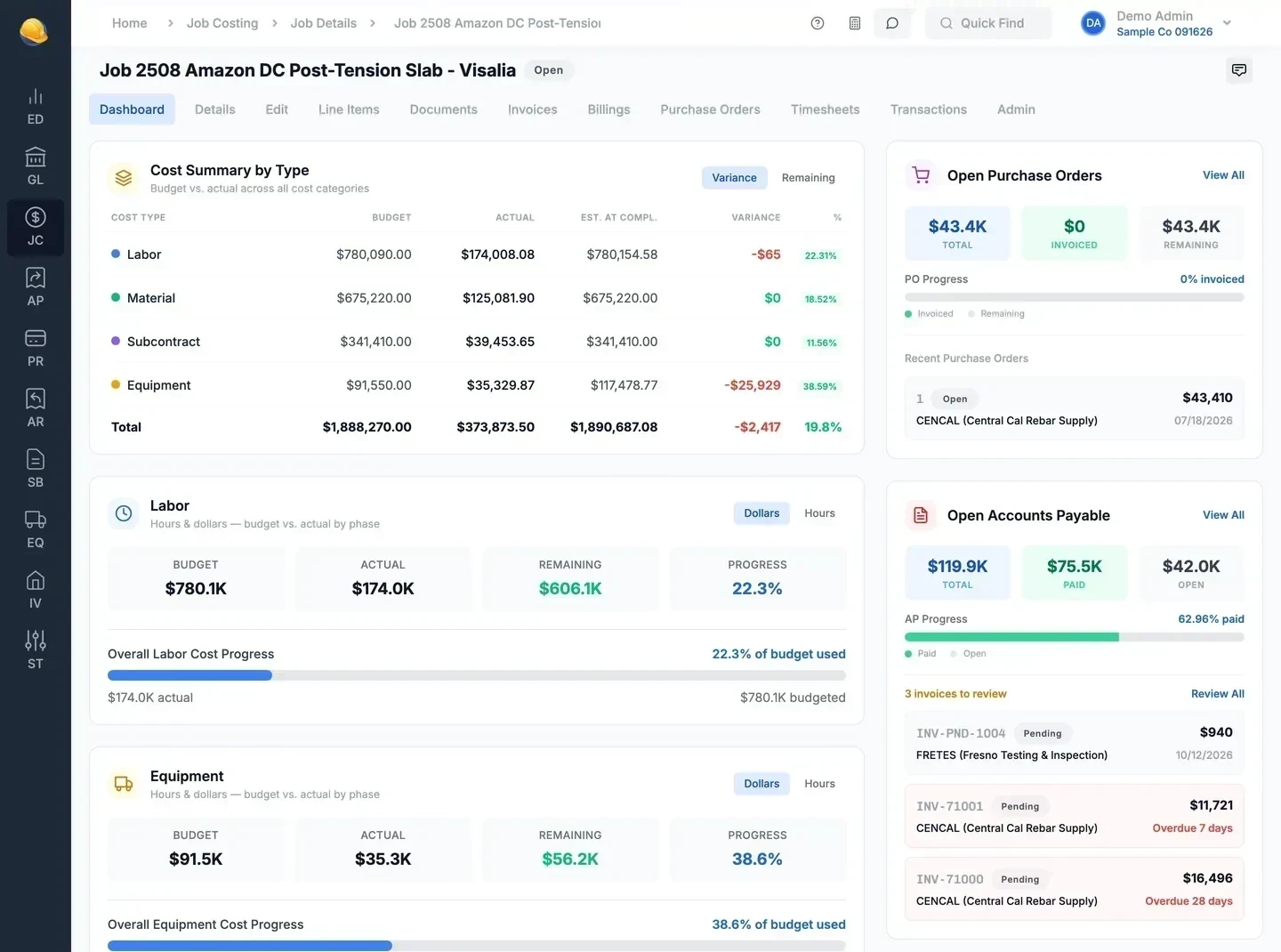
Payroll, billing, equipment, and purchasing post to the same general ledger as your job cost. Owners see margin by job, and accountants close the month from one set of books.
Accounting coded to the job
GL, AP, AR, and bank reconciliation, with invoices and checks coded to a job, phase, and cost code.
Office & accounting →Know if every job makes money
Budget vs. actual by cost code, WIP with over and under billing, retention, and AIA G702/G703 pay applications.
Jobs & billing →Service work billed from the work order
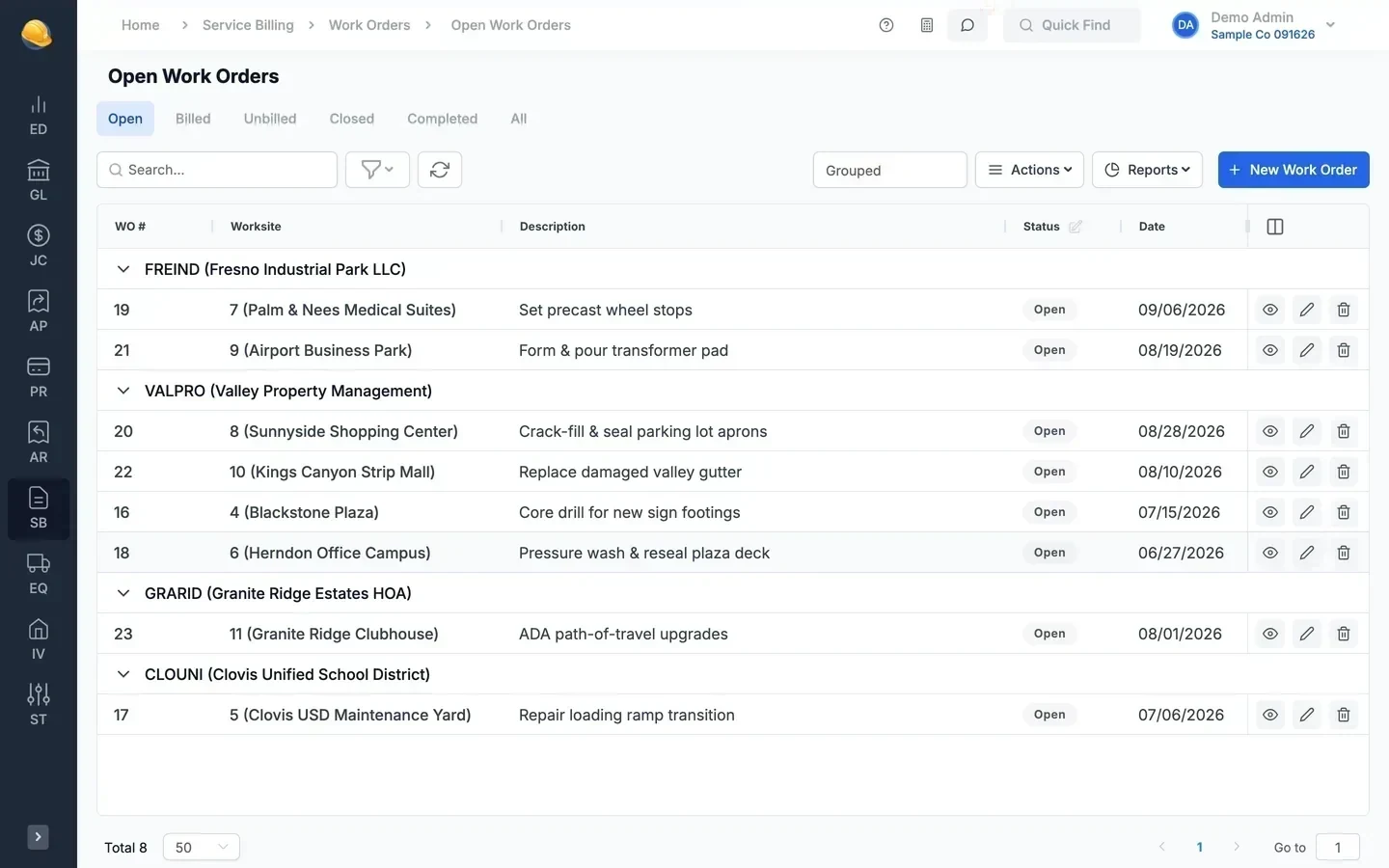
Technician hours and materials recorded on the work order carry onto the service invoice.
Field service →Equipment and materials costed to jobs
Equipment hours charged to jobs at your rates, repair costs tracked per unit, and purchase orders committed against job budgets.
Equipment & inventory →One system. Tailored views for every team.
The controller closes the books, project managers watch job cost, and crews log hours, all in the same system. Role permissions decide who sees payroll, banking, and job data.
Answers and pages in a few keystrokes
Both sit in the top bar of every screen. CP Assistant answers how-to questions and finds or counts your jobs, vendors, and employees. Quick Find opens any of over 500 pages and reports, or a job or vendor, from the keyboard.
Quick Find
Press Ctrl+K anywhere and type. Quick Find lists the matching pages and reports, each with a line on what it does, and finds jobs, vendors, customers, employees, equipment, and work orders by number or name.
- Over 500 pages and reports, each with a description
- Jobs, vendors, customers, employees, equipment, and work orders
- Arrow keys and Enter, no mouse needed
- Only shows pages your role can open

CP Assistant
Ask how to do a task and get the steps from the Construction Partner help articles, with screenshots. Ask about your records, like how many jobs are open, and it answers from the data your role can see.
- How-to answers with steps and screenshots
- Finds and counts jobs, vendors, customers, employees, and work orders
- Explains the page you are on
- Read only: it never changes your data
Enter it once. It shows up everywhere it belongs.
A vendor invoice is not re-keyed into job cost, the purchase order, or the ledger. Here is where one posted invoice goes.
Hours entered on the timecard are not re-typed into job cost or payroll. Here is where one entry goes.
- AP invoice
Sierra Building Materials
INV-71002 · $10,044.00
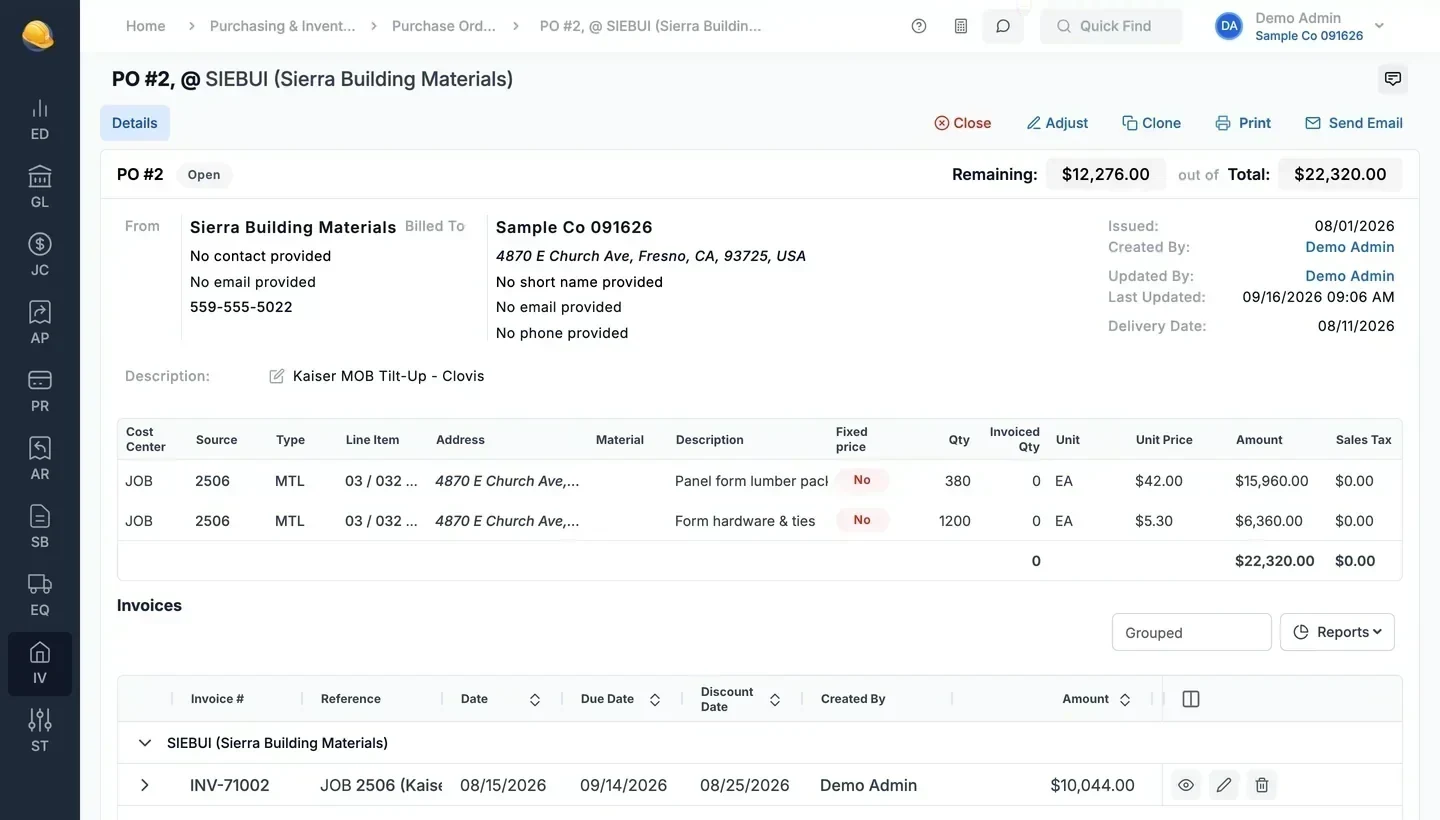
Job 2506 · PO #2 form materials - Job cost
Actual cost on the job line item and cost type
- Purchase order
Invoiced to date goes up, the remaining commitment goes down
- General ledger
Cost account debited, AP and retention payable credited
- Vendor
Open AP balance and retention held for the vendor
- Billing
Cost available to cost-plus invoices for the job
- Timecard
Robert Weber
Thu, Sep 10 · 7:45 hrs
Job 2506 · Edge Forms - Job cost
Labor hours and cost on the job and cost code
- Payroll
Hours on the next check and certified reports
- Equipment
Unit hours charged to the job at its rate
- Billing
Labor available to cost-plus and service invoices
- General ledger
Wages, taxes, and burden posted to accounts
Equipment cost and hours by unit
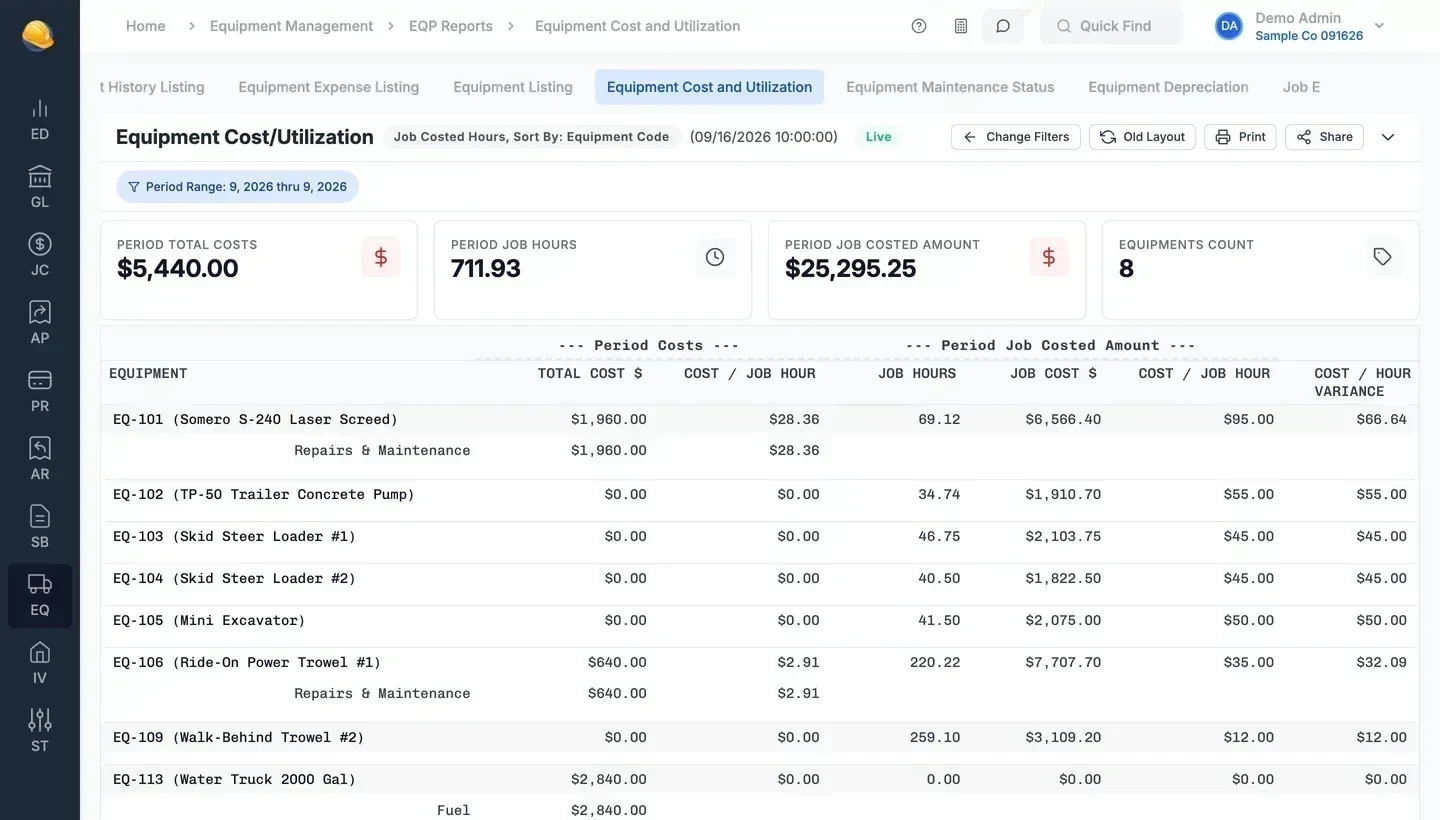
Job hours from timesheets are charged to each job at the unit rate. Repairs, fuel, and other costs are tracked per unit, so you can compare cost per hour with what you charge.
Purchase orders tied to job budgets
Each PO line is coded to a job and cost code. Vendor invoices match against the PO, and the remaining balance shows what is still committed.
Timekeeping everyone can use
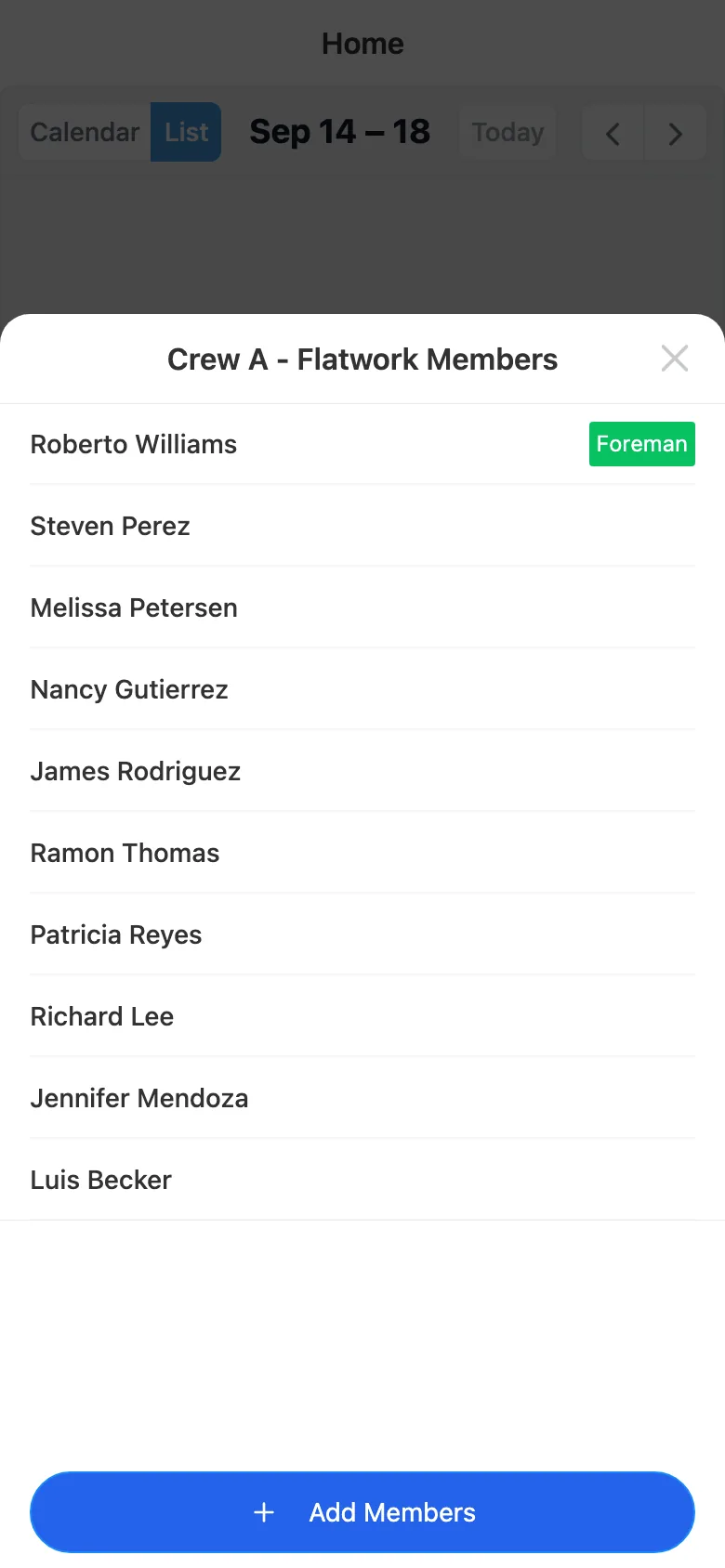
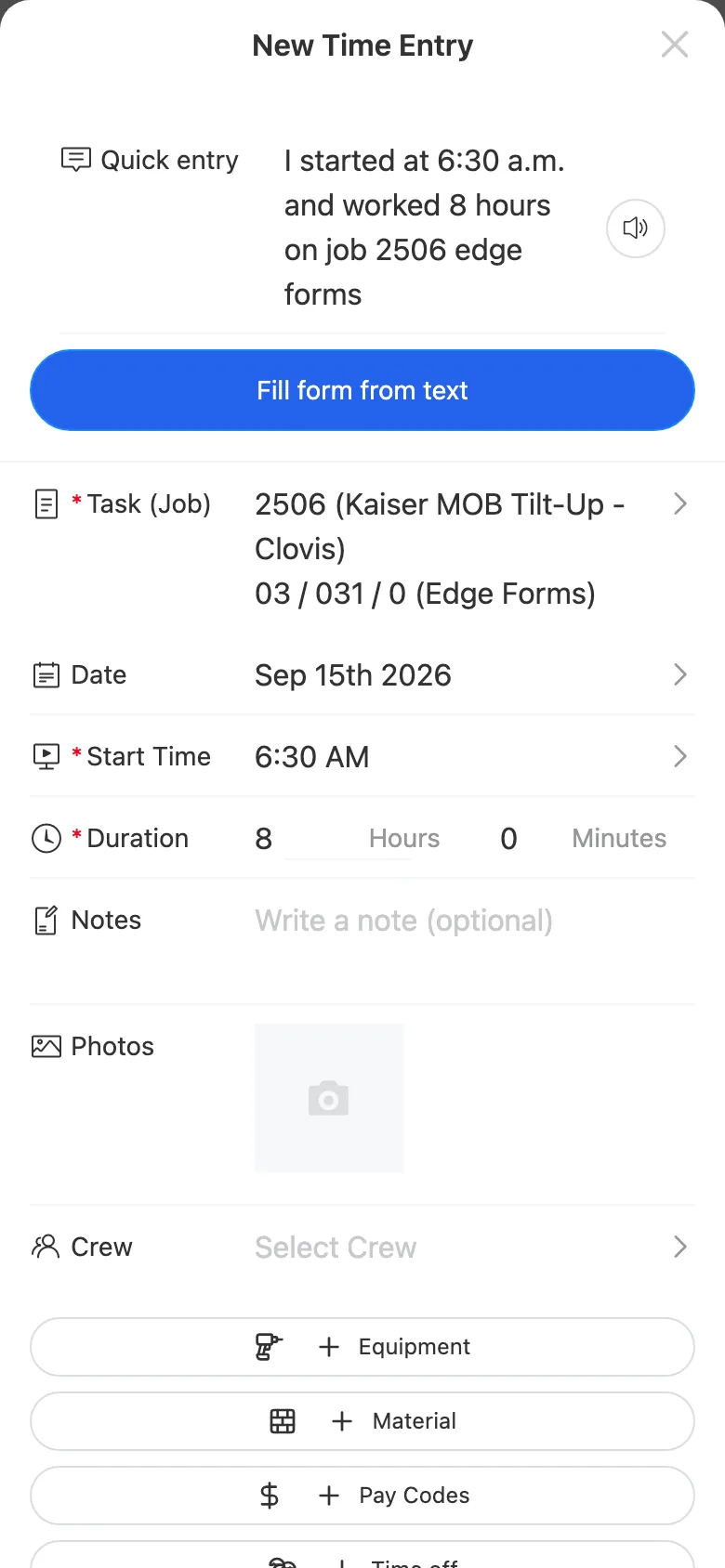
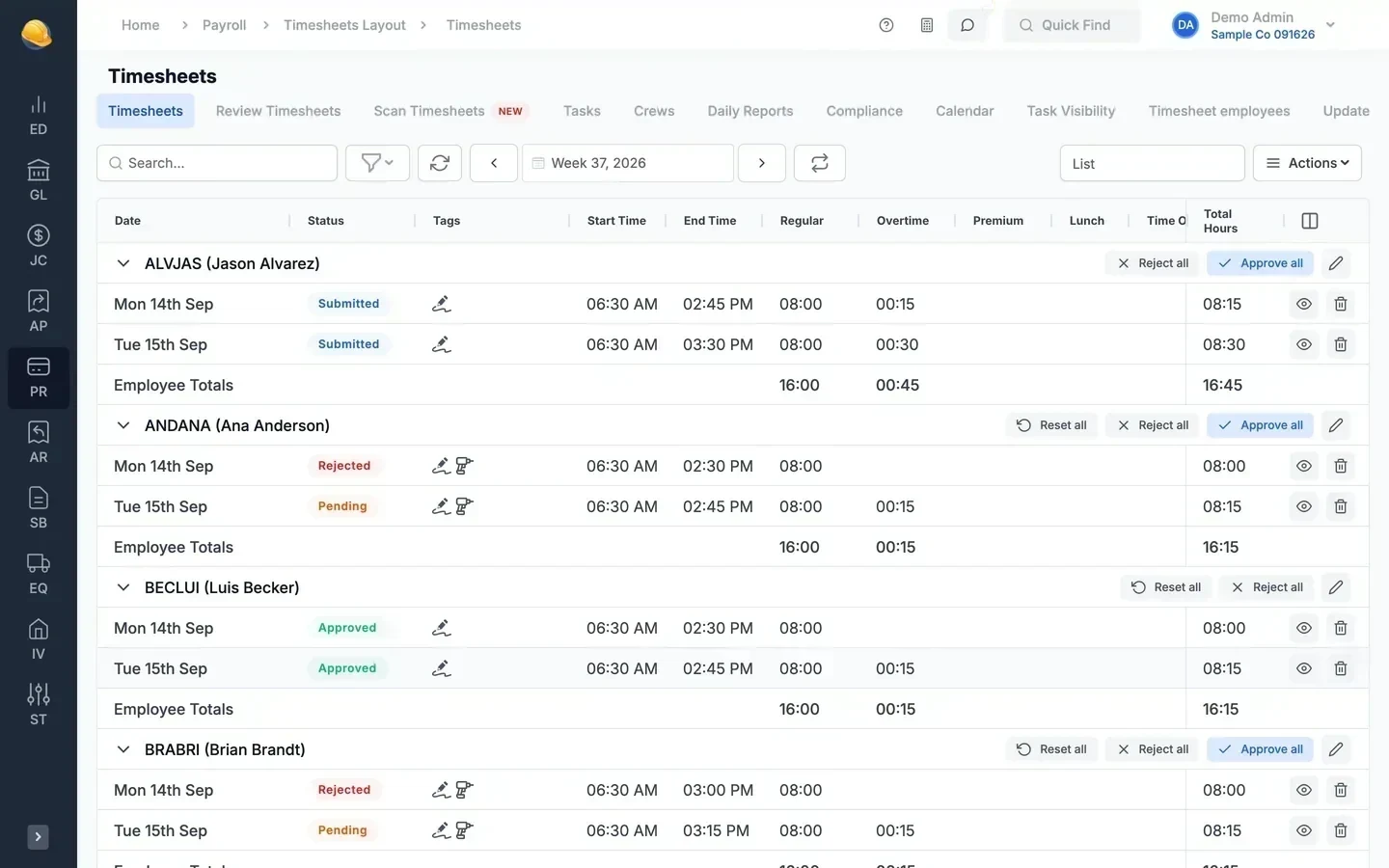
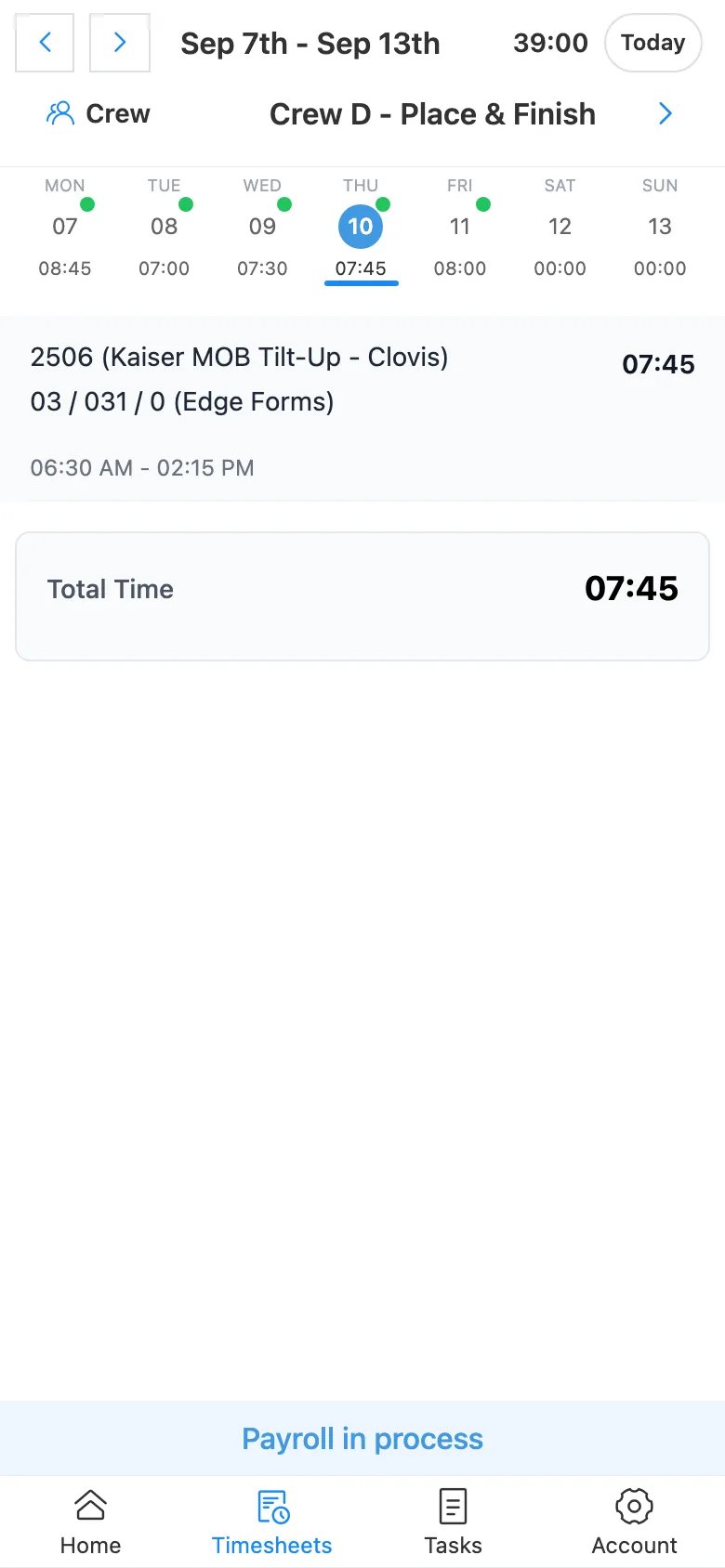
Each person clocks into the work they are doing. Approved hours post to job cost and payroll.
- Foreman Clocks in the whole crew
- → Job and cost code
- Crew member Logs own hours on the phone
- → Job and cost code
- Service tech Clocks into a work order
- → Work order
- Mechanic Clocks into a repair order
- → Equipment
- GPS location saved with every clock-in
- Voice entry (optional add-on): say when you started, the hours, and the job, and the app fills in the job, cost code, and times
- Photos attached to the timesheet entry
- Weekly review and approval before payroll
Upgrade to the cloud over the weekend
Send us your desktop database on a Friday and sign in to the cloud on Monday. Every job, vendor, payroll run, and ledger entry comes with you, and the desktop keeps running until you switch.
See it run your kind of work
A 30-minute walkthrough of job cost, payroll, and billing with someone who knows construction accounting.