Know what each machine costs and earns
Equipment hours come in from the same timesheets as labor and are charged to jobs at each unit's rate. Repairs, fuel, parts, and depreciation post to the unit, so cost and utilization come from real entries.
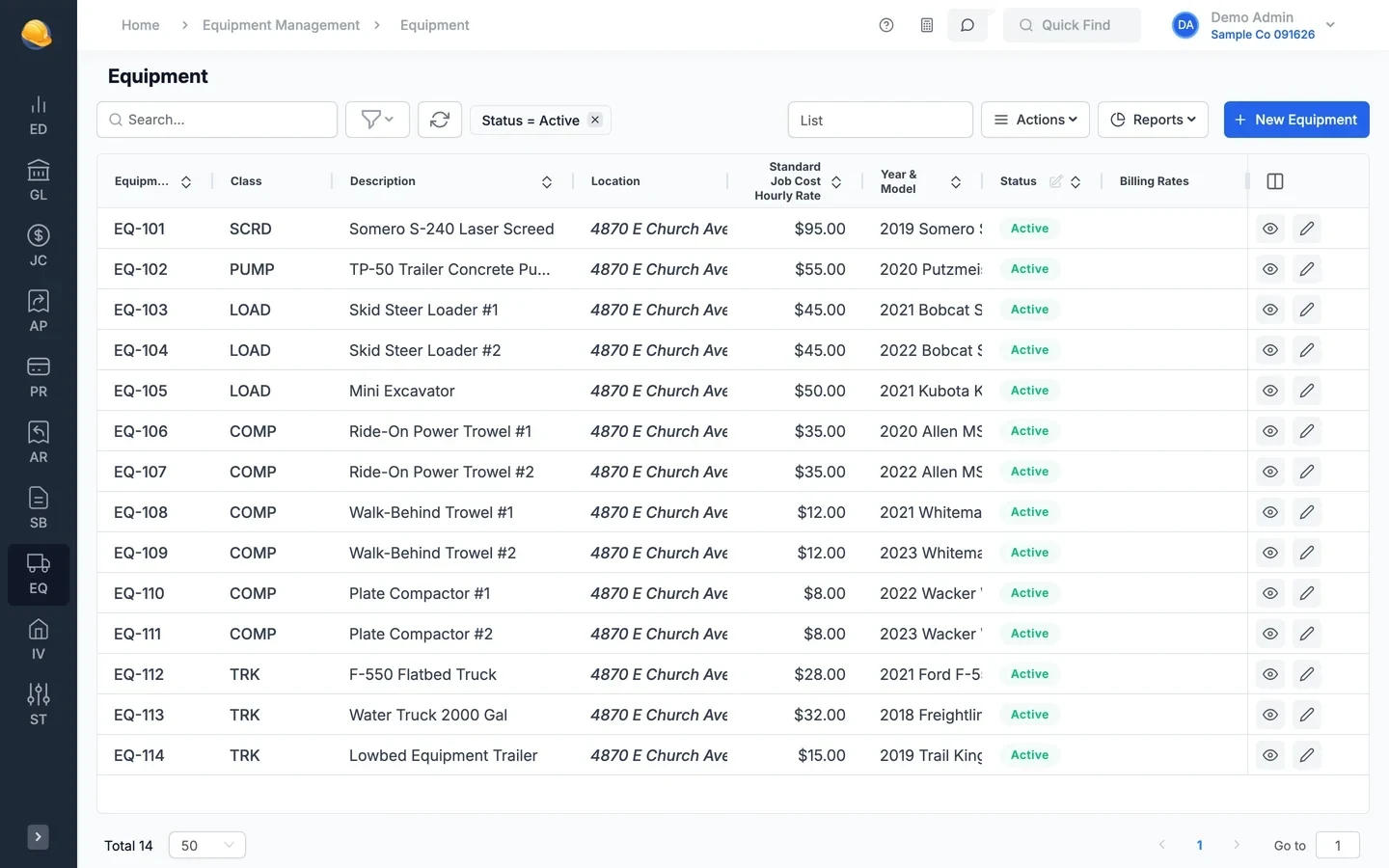
Equipment hours, repairs, and depreciation on each unit
Crews log equipment hours on the job, mechanics log time on the unit, and payables, adjustments, and depreciation fill in the rest.
- Equipment records
Every unit with its rates, meters, and book value
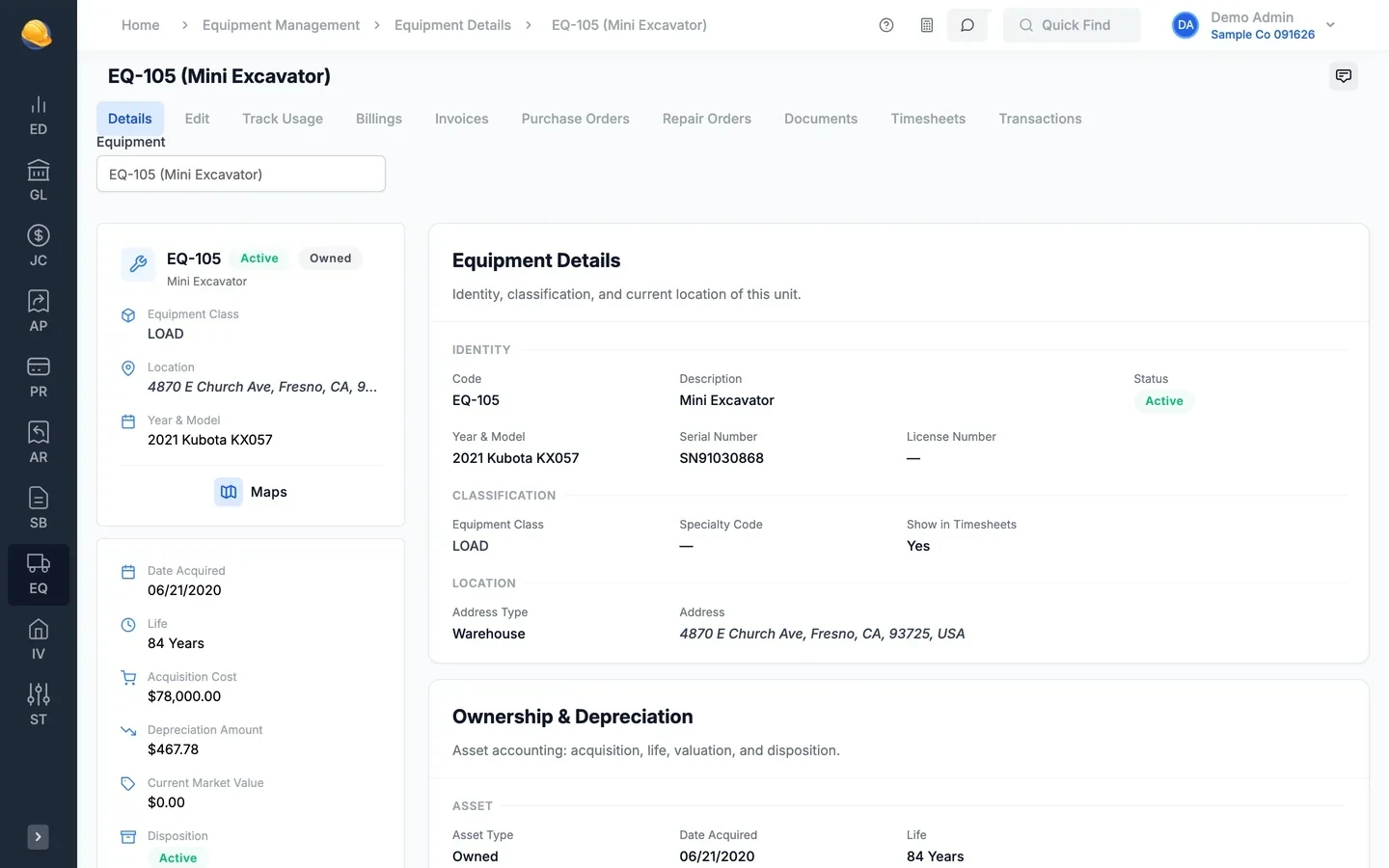
Each piece of equipment has its class, year and model, serial number, and location, an hourly job cost rate, and billing rates. Usage hours and mileage, acquisition cost, and accumulated depreciation sit on the same record.
- Owned, financed, leased, or rented units
- Hourly job cost rate and customer billing rates
- Usage hours and mileage, updated from timesheets or by hand
- Invoices, purchase orders, repair orders, and timesheets on tabs
- Time on equipment
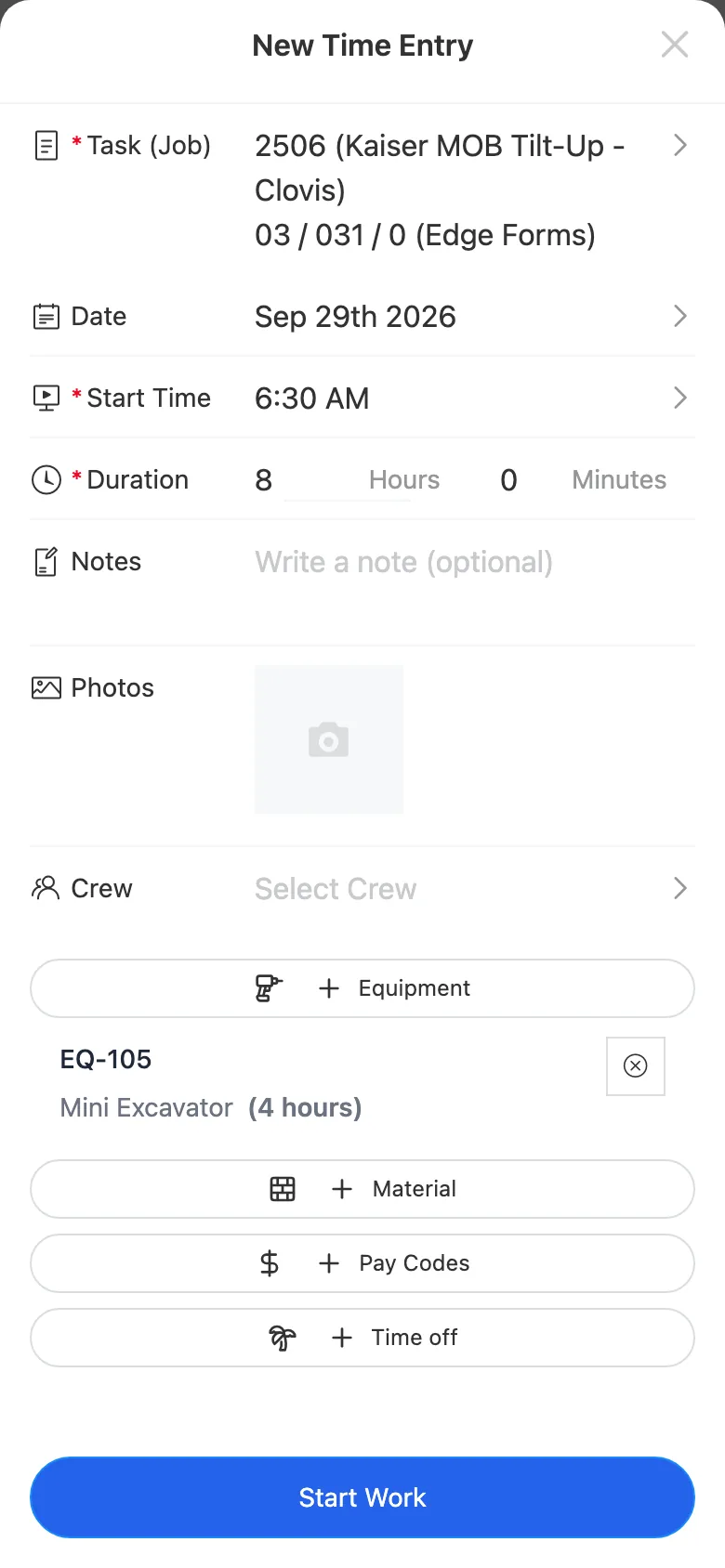
Hours logged from the timecard app
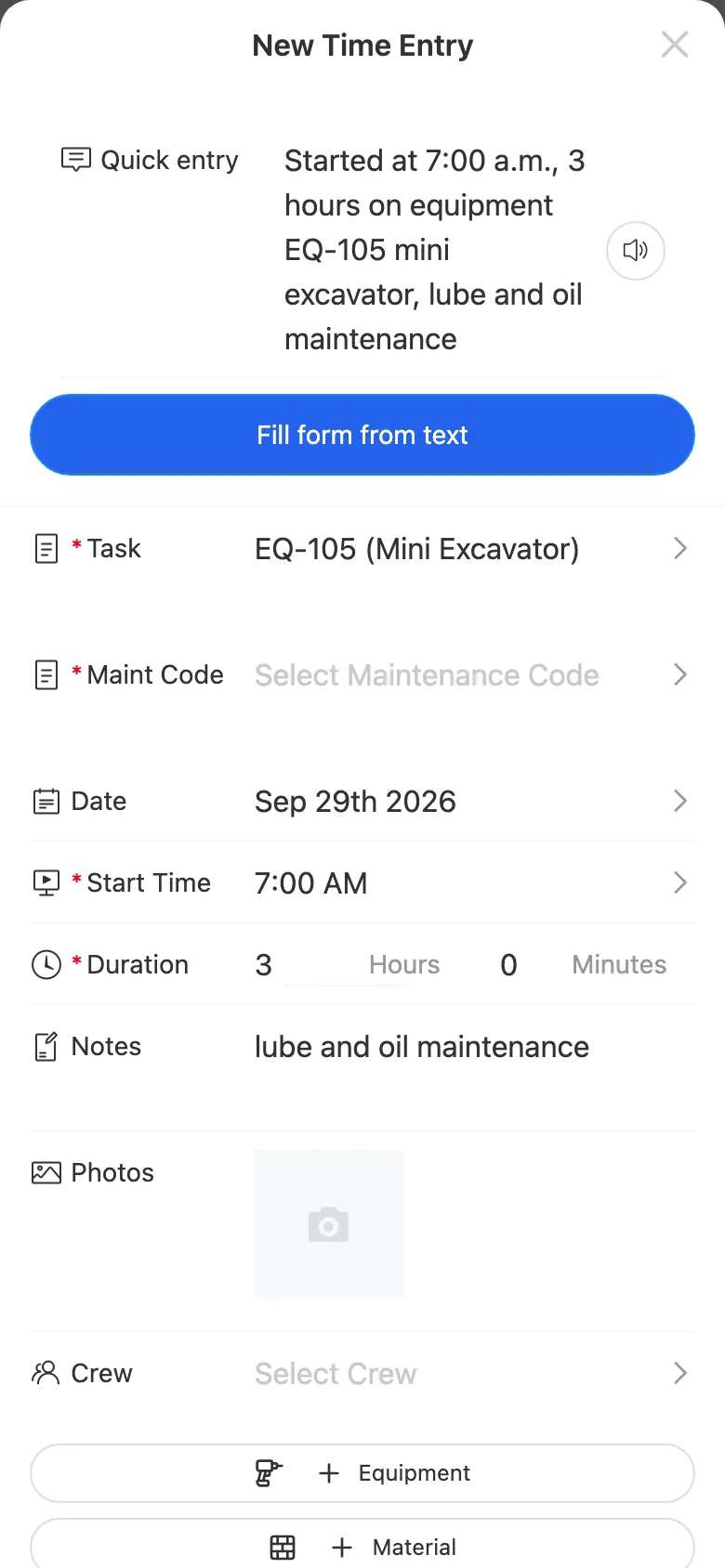
A crew member adds the machine to a job entry, and those hours are charged to the job at the unit rate. A mechanic logs time on the unit itself against a maintenance code or repair order, and it posts as repair and maintenance cost.
- Equipment hours on the same entry as labor, charged to job cost
- Mechanic time against a maintenance code or repair order line
- Equipment hours on service work orders charged to the work order
- Utilization history for each unit, costed and billed
- Maintenance & repair orders
Service intervals and repair orders per unit
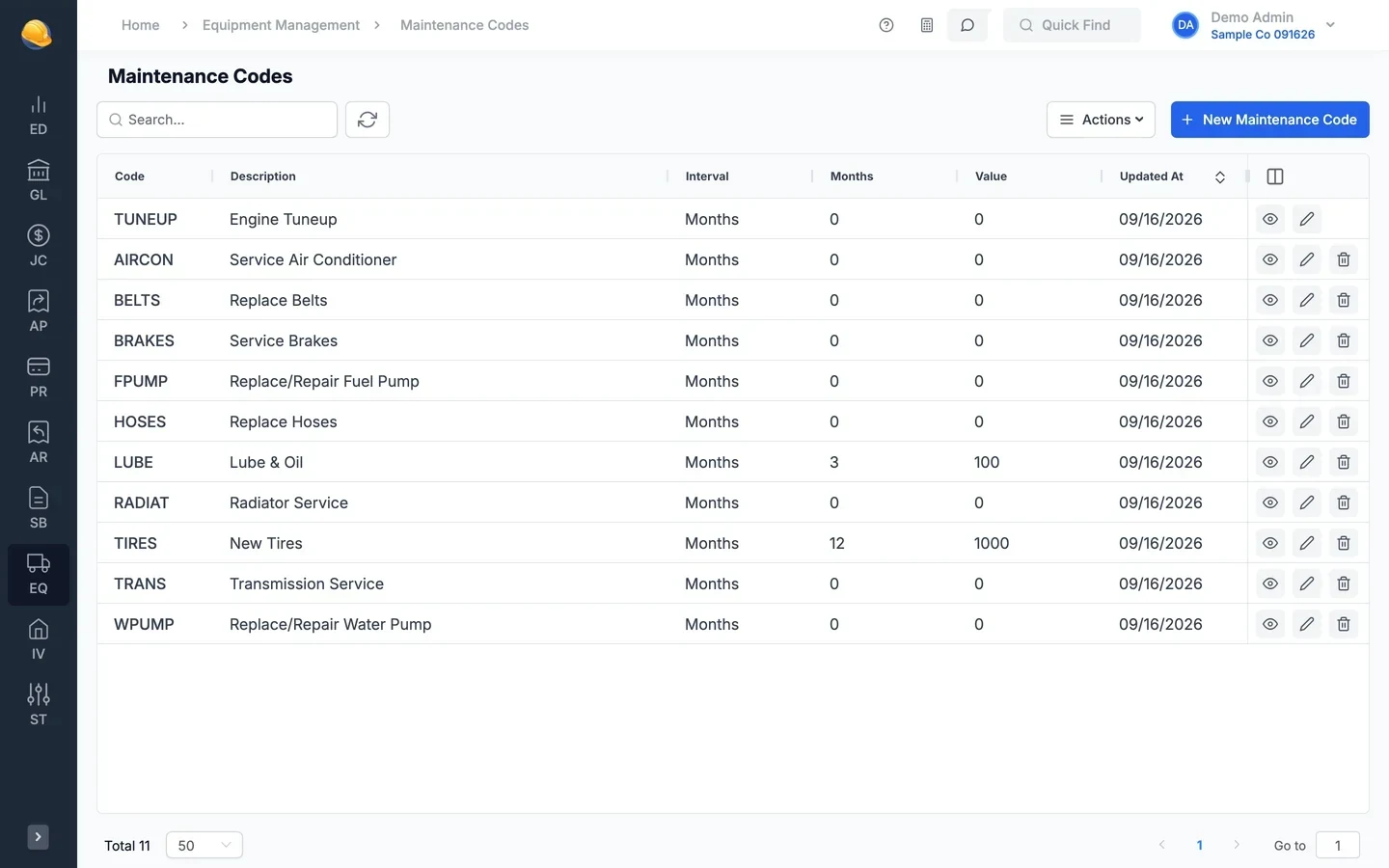
Set maintenance codes with an interval in months, hours, or miles. The maintenance status report shows the last service, the next one due, and what is overdue. Repair orders track the work, the parts, and the cost to date for each unit.
- Service intervals by months, engine hours, or miles, so excavators and trucks get serviced before repairs cost more
- Maintenance status report with an overdue-only filter
- Repair orders for each unit with the mechanic, due date, status, and cost to date
- Estimated and to-date repairs and parts on each repair order
- Cost & utilization
Cost per hour next to what you charge
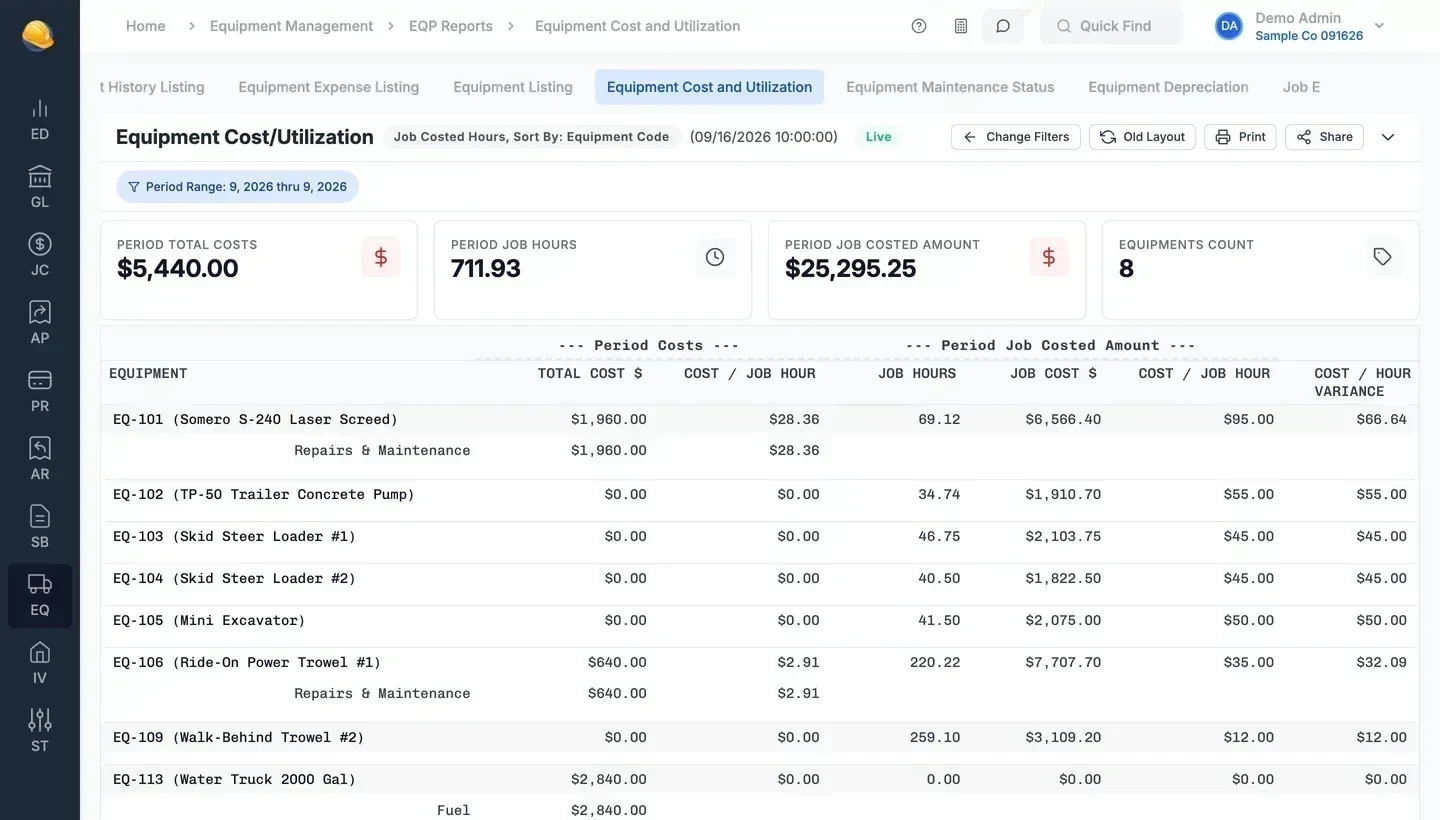
The cost and utilization report puts each unit's costs next to the hours charged to jobs and billed to customers. Cost per job hour and cost per billing hour show which rates cover the machine and which do not.
- Total cost by unit: repairs, fuel, parts, and depreciation
- Job hours and job costed amount for each unit
- Job equipment utilization by job or by unit
- Equipment history and expense listing for any period
- Depreciation
Depreciation computed and posted to the ledger
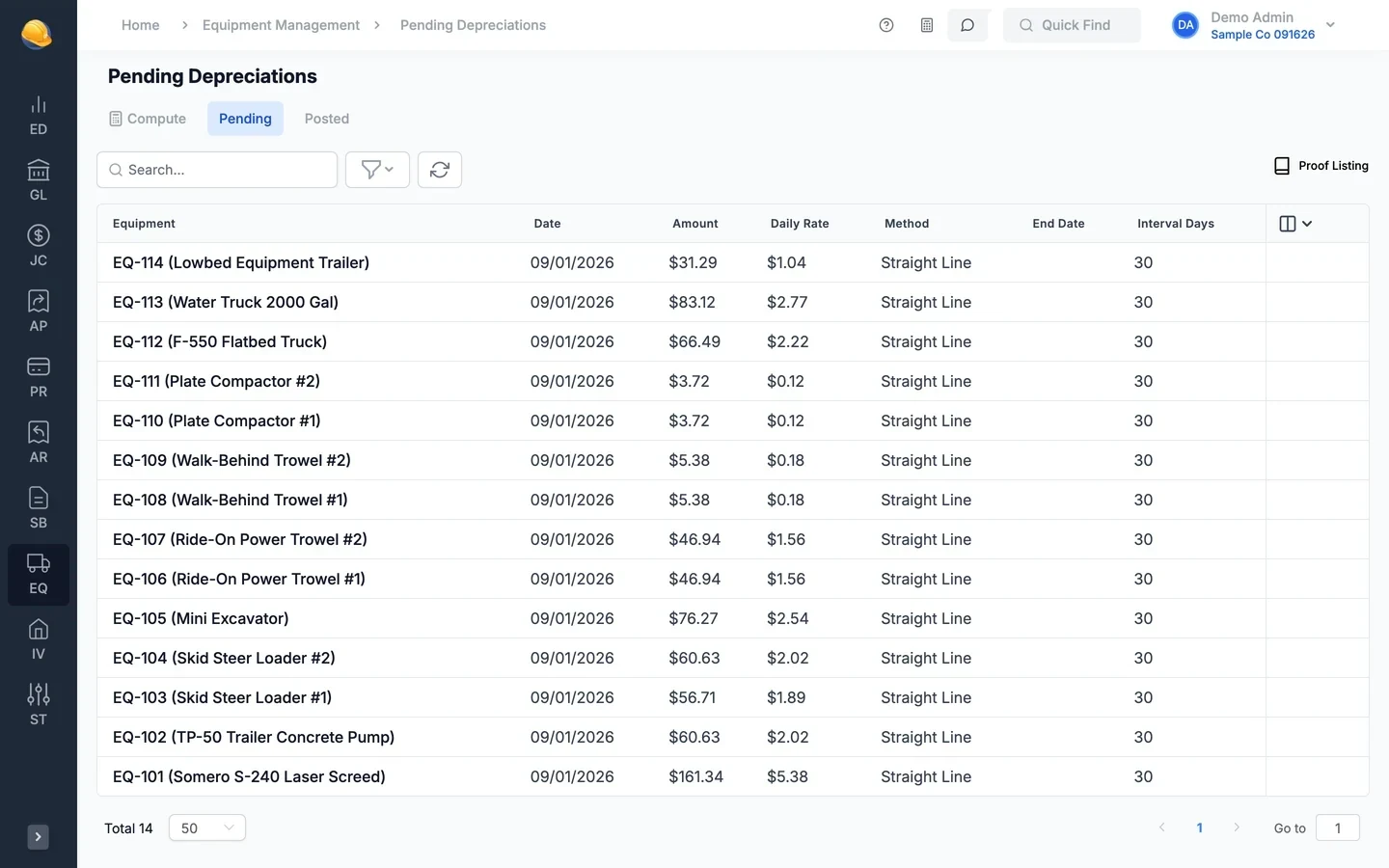
Compute depreciation for all equipment or selected classes as of a date. Review the pending entries by unit, print the proof listing, and post to the general ledger. Disposals are handled in the same run.
- Straight line or declining balance, prorated by day
- Stops at acquisition cost less salvage value
- Pending and posted depreciation batches with a proof listing
- Sold, lost, junked, or returned units recorded on disposal
What's inside
Group units by class, with cost types and GL accounts set on the class.
A standard hourly rate per unit, charged to jobs from timesheets.
Customer equipment rates for cost plus and service billing.
Usage hours and mileage from timesheets, or updated by hand.
Service intervals by months, hours, or miles.
Repairs and parts per unit, with status, due date, and mechanic.
Cost adjustments and opening balances by unit and cost type, posted to the GL.
Monthly depreciation on each excavator, truck, and trailer, straight line or declining balance, posted to the ledger.
Parts and repairs coded to a unit and maintenance code.
Equipment hours on service work orders, charged to the work order.
Listing, history, expenses, cost and utilization, maintenance status, depreciation, job utilization.
Sold, lost, junked, or returned units, with the disposal date.
Bring your equipment list with you
Import units from a CSV or Excel file with their class, rates, and acquisition details, then post opening balances with an equipment adjustment.
See it run your kind of work
A 30-minute walkthrough of job cost, payroll, and billing with someone who knows construction accounting.